From generating files to using tools: a code agent's ReAct loop
The shift from generating the whole function to an agent that reads, searches, edits, and runs with tools: the ReAct loop and why the agent builds its own context instead of receiving it in the prompt.
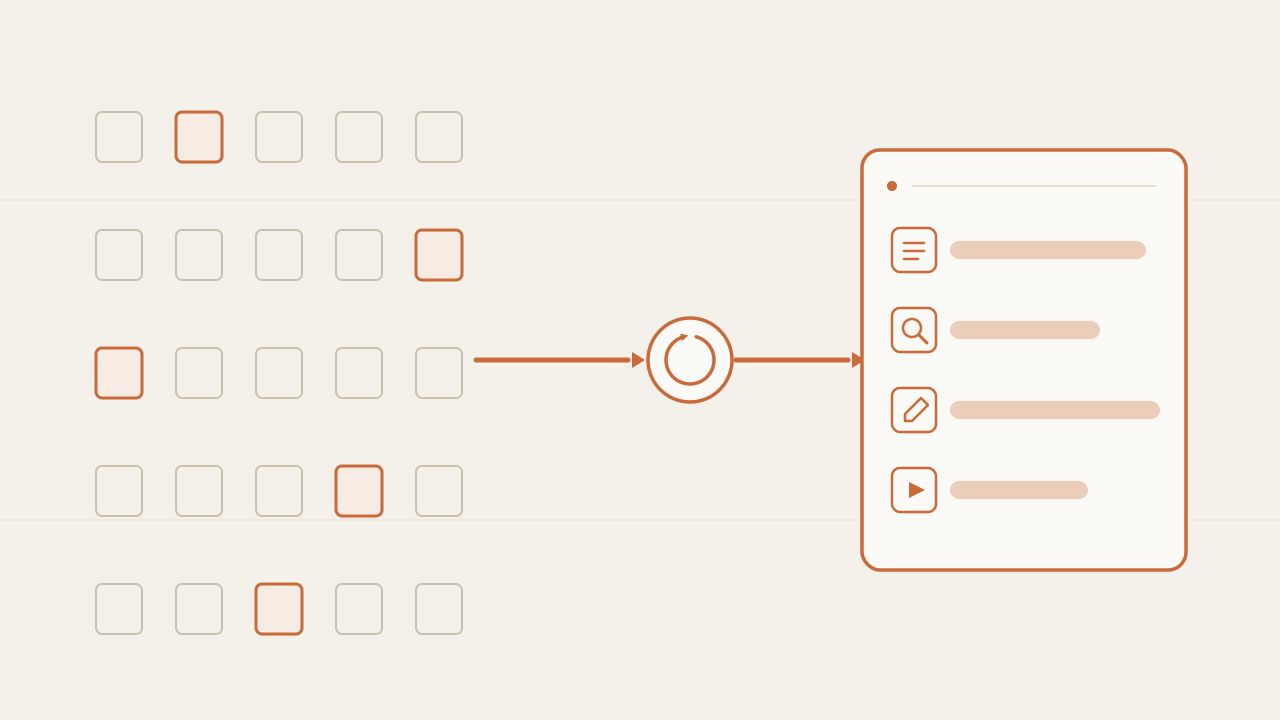
So far in this series, the agent generated the whole solution in a single call: you gave it the spec and the tests, and the model returned the entire function. That works when the whole task fits in a prompt. But in a real repository you don’t know in advance which files you’ll need, and you can’t fit thousands of them into the context window. The leap in this post is to give the agent tools so it can get that context itself: read, search, edit, and run commands. That pattern—reason, act with a tool, observe the result, and repeat—is called ReAct, it’s the “action” component the first post promised to open, and it’s where a toy loop starts to look like Claude Code.
TL;DR
- The shift is from "generate the whole function" to "read, search, edit, run". The model stops emitting the solution and starts emitting tool calls; the program runs them and hands the result back.
- The agent builds its own context. Instead of you cramming the repo into the prompt, it reads and searches only what it needs, when it needs it. The context is the result of its observations, not something you preload.
- It's the ReAct loop: reason, act, observe. The same loop, evaluator, and sandbox from earlier posts, but the action is no longer single—it's a choice among several tools—and that choice is what makes it feel like a real code agent.
In this article:
- Fundamentals — Why generating the whole file stops working · What a tool is for an LLM
- Implementation — The four tools · The ReAct loop · A task step by step
- Operation — Where it gets hard · The agent builds its context
Why generating the whole file stops working
In the write-test-fix loop the agent’s action was a single one: “write the function”. The model received everything it needed in the prompt—the spec and the tests—and returned the complete solution in one block. It worked because the example fit entirely in the prompt: a small function, a few tests, nothing more.
That condition breaks the moment you leave the toy case. A real task—“fix the 500 the users endpoint returns”, “add a field to this model”—lives in a repository of thousands of files. You can’t put the whole repo in the prompt: it doesn’t fit in the context window, and even if it did, you’d pay a fortune to send thousands of irrelevant files on every call. And there’s a problem before that one: you don’t know in advance which files you need. That’s exactly the part you wanted the agent to solve.
The way out isn’t to give it more context in the prompt, but to give it the ability to get it itself. Instead of a single action that produces the solution, you give it a set of actions—read a file, search for a pattern, write, run a command—and let the model pick which one to use each turn. The change is exactly this:
WRITE-TEST-FIX (post 2)            ReAct with tools (this post)

single action:                     many actions; the model picks:
"write the whole function"           read · search · write · run

context goes in the prompt         the agent assembles its context:
(spec + tests, all at once)          reads and searches only what it needs
The loop underneath is the same as the first post: state, action, observation, stop condition. The only thing that changes is what the “action” is. Before it was writing code; now it’s picking and calling a tool. But that seemingly small change is what separates a function generator from an agent that operates on a repo.
What a tool is for an LLM
A tool, in the LLM sense, is a function the model can ask to have executed. It doesn’t run it—this is the same thing I’ve repeated all series: the model picks, the program executes—it emits a tool call: the function name and the arguments, in a structured format. The program reads that call, runs the real function, and hands back the result.
So the model knows which tools exist, on each request you pass it a list of definitions: the name, a description of what it’s for, and the schema of its parameters. This is tool calling, and almost every current model supports it natively. It’s worth drawing the line right away: tool calling is just the communication protocol. It doesn’t turn the model into an agent; it only lets it request external actions. The agent appears when that request enters a loop, which is what the rest of the post builds. A tool definition looks like this:
{
  "type": "function",
  "function": {
    "name": "read_file",
    "description": "Reads a file from the repo and returns its contents. Use it before editing.",
    "parameters": {
      "type": "object",
      "properties": {
        "path": { "type": "string", "description": "Relative path of the file" }
      },
      "required": ["path"]
    }
  }
}
When the model decides to use it, it doesn’t reply with text: it replies with a structured call the SDK hands you separately from the normal response.
{
  "tool_calls": [
    {
      "id": "call_01",
      "function": { "name": "read_file", "arguments": "{\"path\": \"src/users.ts\"}" }
    }
  ]
}
That object is the loop’s “action”, now as data: the model says what it wants to do and with what arguments, and lets your code do it. The tool description matters more than it seems: it’s what the model reads to decide which one to use. A vague description leads it to pick wrong. In practice, writing good tool descriptions is a central part of tuning an agent, almost as much as the prompt.
The four tools: read, search, write, run
To look like a code agent you don’t need dozens of tools. With four you get surprisingly far, because they cover the four things a human does in a repo: read a file, search for where something is, write a change, and run something to check it. All four are defined with the same format as read_file above—the name, description, and parameters change—so I won’t repeat the JSON; the interesting part is on the other side of the definition.
On the other side there’s a normal function in your code. The only thing they all share is that they return text: the observation that goes back to the model. I’ll show two—read and run—; grep and write_file follow exactly the same pattern.
// tools.ts — the real implementation of each tool. Each returns text:
// the observation that goes back to the model. (grep and write_file: same pattern.)
import { readFileSync } from "node:fs";
import { execSync } from "node:child_process";

export const TOOLS: Record<string, (args: any) => string> = {
  read_file: ({ path }) => readFileSync(path, "utf8"),

  // run_command should run inside the post 3 sandbox (timeout, isolated process).
  run_command: ({ cmd }) => {
    try {
      return execSync(cmd, { encoding: "utf8", timeout: 10000 });
    } catch (err: any) {
      return (err.stdout ?? "") + (err.stderr ?? "");
    }
  },

  // grep({ pattern }) and write_file({ path, content }): just as short, return text.
};
# tools.py — the real implementation of each tool. Each returns text:
# the observation that goes back to the model. (grep and write_file: same pattern.)
import subprocess
def read_file(path: str) -> str:
with open(path, encoding="utf-8") as f:
return f.read()
# run_command should run inside the post 3 sandbox (timeout, isolated process).
def run_command(cmd: str) -> str:
proc = subprocess.run(cmd, shell=True, capture_output=True, text=True, timeout=10)
return proc.stdout + proc.stderr
# grep(pattern) and write_file(path, content): just as short, return text.
TOOLS = {"read_file": read_file, "run_command": run_command}<?php
// tools.php — the real implementation of each tool. Each returns text:
// the observation that goes back to the model. (grep and write_file: same pattern.)
function read_file_tool(array $a): string {
return file_get_contents($a["path"]);
}
// run_command should run inside the post 3 sandbox (timeout, isolated process).
function run_command_tool(array $a): string {
$out = [];
exec($a["cmd"] . " 2>&1", $out);
return implode("\n", $out);
}
// grep_tool($a) and write_file_tool($a): just as short, return text.
const TOOLS = [
"read_file" => "read_file_tool",
"run_command" => "run_command_tool",
];Notice run_command: when the command is the tests, that tool is the evaluator from the previous post. And since it runs whatever the model asked for, it should sit inside the post 3 sandbox—timeout, isolated process, clean environment—; I leave it direct here only for brevity. The pieces from the earlier posts don’t disappear: they become tools inside this loop.
The ReAct loop: reason, act, observe
With the tools defined and implemented, the loop is the same while as always, but each turn has three moments instead of one. The model reasons (decides what to do), acts (emits a tool call), and the program hands back the observation (the result). That’s ReAct: reason + act, in a loop. Unrolled, one run looks like this:
-
Prompt — the goal
-
The model calls
read_file— and the observation comes backReason, act, observe.
-
The model calls
grep— and the observation comes back -
The model calls
run_command— and the observation comes back -
The model answers “DONE” — no tool, so the loop stops
Each row is a turn of the loop, and each model sees all the observations from the rows above: the context grows downward, turn by turn. The last row is the stop condition—the model replies without asking for a tool. In code, the driver does one new thing compared to post 2: instead of always sending the output to a test runner, it checks whether the model asked for a tool. If it did, it runs it and returns the result; if not, the agent is done.
// agent.ts — the ReAct loop. The model picks a tool, the program runs it,
// the result comes back as an observation. Same as write-test-fix, but the action
// is now "which tool do I call?", not "write the whole function".
import { client } from "./openrouter";      // the same client from the routing post
import { TOOLS } from "./tools";
import { toolSchema } from "./tool-schema"; // the JSON array of definitions

const MAX_ITER = 25;

export async function runAgent(goal: string): Promise<string> {
  const messages: any[] = [
    { role: "system", content: "You are a code agent. Use the tools to read, search, edit, and run. When the tests pass, reply 'DONE'." },
    { role: "user", content: goal },
  ];

  for (let i = 0; i < MAX_ITER; i++) {              // ← hard cap (post 1)
    const res = await client.chat.completions.create({
      model: "anthropic/claude-opus-4.8",
      messages,
      tools: toolSchema,                            // the available tools
    });
    const msg = res.choices[0].message;
    messages.push(msg);                             // the "reason" + the decision

    if (!msg.tool_calls) return msg.content ?? "";  // ← no tool call: the agent is done

    for (const call of msg.tool_calls) {            // ← "act": run each tool
      const args = JSON.parse(call.function.arguments);
      const observation = TOOLS[call.function.name](args); // the program EXECUTES
      messages.push({                               // ← "observe": the result comes back
        role: "tool",
        tool_call_id: call.id,
        content: observation.slice(0, 4000),        // trim: observations fill the context
      });
    }
  }
  return "Reached the iteration cap.";
}
# agent.py — the ReAct loop. The model picks a tool, the program runs it,
# the result comes back as an observation. Same as write-test-fix, but the action
# is now "which tool do I call?", not "write the whole function".
import json
from openrouter import client # the same client from the routing post
from tools import TOOLS
from tool_schema import TOOL_SCHEMA # the JSON array of definitions
MAX_ITER = 25
def run_agent(goal: str) -> str:
messages = [
{"role": "system", "content": "You are a code agent. Use the tools to read, search, edit, and run. When the tests pass, reply 'DONE'."},
{"role": "user", "content": goal},
]
for _ in range(MAX_ITER): # ← hard cap (post 1)
res = client.chat.completions.create(
model="anthropic/claude-opus-4.8",
messages=messages,
tools=TOOL_SCHEMA, # the available tools
)
msg = res.choices[0].message
messages.append(msg) # the "reason" + the decision
if not msg.tool_calls: # ← no tool call: the agent is done
return msg.content or ""
for call in msg.tool_calls: # ← "act": run each tool
args = json.loads(call.function.arguments)
observation = TOOLS[call.function.name](**args) # the program EXECUTES
messages.append({ # ← "observe": the result comes back
"role": "tool",
"tool_call_id": call.id,
"content": observation[:4000], # trim: observations fill the context
})
return "Reached the iteration cap."<?php
// agent.php — the ReAct loop. The model picks a tool, the program runs it,
// the result comes back as an observation. Same as write-test-fix, but the action
// is now "which tool do I call?", not "write the whole function".
require "openrouter.php"; // the same client from the routing post ($client)
require "tools.php";
require "tool_schema.php"; // $TOOL_SCHEMA: the array of definitions
const MAX_ITER = 25;
function run_agent(string $goal): string {
global $client, $TOOL_SCHEMA;
$messages = [
["role" => "system", "content" => "You are a code agent. Use the tools to read, search, edit, and run. When the tests pass, reply 'DONE'."],
["role" => "user", "content" => $goal],
];
for ($i = 0; $i < MAX_ITER; $i++) { // ← hard cap (post 1)
$res = $client->chat()->create([
"model" => "anthropic/claude-opus-4.8",
"messages" => $messages,
"tools" => $TOOL_SCHEMA, // the available tools
]);
$msg = $res->choices[0]->message;
$messages[] = $msg->toArray(); // the "reason" + the decision
if (empty($msg->toolCalls)) { // ← no tool call: the agent is done
return $msg->content ?? "";
}
foreach ($msg->toolCalls as $call) { // ← "act": run each tool
$args = json_decode($call->function->arguments, true);
$fn = TOOLS[$call->function->name];
$observation = $fn($args); // the program EXECUTES
$messages[] = [ // ← "observe": the result comes back
"role" => "tool",
"tool_call_id" => $call->id,
"content" => substr($observation, 0, 4000), // trim: they fill the context
];
}
}
return "Reached the iteration cap.";
}Compare it with the post 2 driver and you’ll see the structure is identical: a loop with a cap, a call to the model, an execution, and the observation back into the state. The new parts are two. One: you pass tools in the request, so the model knows what it can ask for. Two: instead of always running the tests, you dispatch the tool the model picked and return its output with role: "tool". The stop condition also changed shape: the agent finishes when it stops asking for tools and replies with text. It still coexists with the hard iteration cap, for exactly the reasons in the first post.
A real task, step by step
The theory lands better with a trace. Take this goal: “the /users endpoint returns 500 when you filter by role”. The agent received no file in the prompt, just that sentence. Watch how it gets the rest on its own:
Goal: "/users returns 500 when filtering by role"

1   grep "users"                    → too many matches, too noisy
2   read_file users.service.ts      → not here: this file doesn't filter by role
3   grep "role"                     → users.controller.ts:42, roles.ts:10
4   read_file users.controller.ts   → the handler uses ROLES from roles.ts
5   read_file roles.ts              → ROLES doesn't include "admin", the failing role
6   write_file roles.ts             → adds "admin" to the list
7   run_command "npm test"          → 1 test red: left a trailing comma
8   read_file roles.ts              → re-reads its own change
9   write_file roles.ts             → fixes the comma
10  run_command "npm test"          → green
11  replies "DONE"                  → no tool call: the loop stops
Eleven turns, and in none of them did you hand it a file. Look at steps 1 and 2: the first grep was too broad and the first read_file opened the wrong file. That’s not a flaw in the example, it’s the essence of ReAct: the agent doesn’t know in advance where the answer is, it discovers it. It searched again with a better term (grep "role"), read just enough to understand (two read_file), made the change (write_file), checked it against the evaluator (run_command), and when a test went red, re-read its own change and fixed it—the same error-feedback cycle we saw in write-test-fix, only now inside a task spanning several files.
This is what a real code agent feels like. Not because the model is smarter than in post 2, but because it can move around the repo: find, read, change, and verify without you having to hand it the context in the prompt.
Where it gets hard
The ReAct loop with four tools is complete and works, but as with every piece of the series, it’s worth knowing where it breaks before you trust it:
- The context fills up. Every observation—a file’s contents, the output of a
grep—accumulates in the state. On long tasks, that overflows the context window and makes every call more expensive. Theslice(0, 4000)in the code is a crude patch; real agents summarize old steps, drop reads that no longer matter, or keep part of the state outside the prompt. It’s the subject of the next post in the series. - Tool errors are observations too. A
read_fileof a path that doesn’t exist, a command that fails: each one has to come back to the model as a clear, classified message, not as an exception that takes down the loop. It’s the same lesson as the sandbox, now applied to all the tools, not just running code. - The descriptions are the real prompt. The model picks the tool by reading its description. Ambiguous descriptions lead it to use the wrong one or invent arguments. Tuning an agent is, largely, tuning those descriptions.
- Too many tools confuse it. The more options you give it, the easier it is to pick wrong. These four cover almost everything; resist the temptation to add twenty until you really need them.
- Writing and running are dangerous.
write_fileandrun_commandcan break things or execute something destructive. For risky actions you want a human approval before executing, or OS-level isolation—the same guardrails I mentioned in the first post and in the sandbox. - The evaluator still decides “done”. The tools give the agent the ability to act, but what counts as correct is still decided by the evaluator from the previous post: the tests
run_commandruns. Without a good evaluator, the agent acts a lot and finishes wrong.
None of these invalidate the pattern; they bound it. All the tools of a real code agent—which are more, and sharper—still live inside this same loop of reason, act, and observe.
The agent builds its own context
Underneath all those details there’s a single idea, and it’s the one worth taking from the post. In write-test-fix, the context was something you preloaded: you put the spec and the tests in the prompt and the model worked with that. With tools, the context is something the agent builds: each read_file and each grep adds to the state exactly what the model decided it needed, the moment it needed it.
Without tools                    With tools

you decide what enters the prompt   the model decides what to read
(and you almost always guess wrong)   (and asks for it when needed)

fixed context, all at once       context that grows observation
                                   by observation
The change is deep. It stops being your problem to guess which files to include—which was impossible to get right for a large repo—and becomes a decision of the agent’s, turn by turn. That’s why a code agent doesn’t ask you to paste files: it reads them. And that’s why this pattern scales where prompt-stuffing doesn’t: it doesn’t matter that the repo has ten thousand files, because the agent only brings into its context the few it touches.
The first time I looked at a full trace of an agent over a real repo, what surprised me wasn’t the code it wrote, but how many turns it spent reading and searching before touching a single line. Most of its actions weren’t “writing”, they were “understanding”. The prompt didn’t give it the context; it built the context itself, one read at a time.
Seen this way, the tools aren’t an accessory of the agent: they’re the mechanism by which a model, which only knows how to transform text, comes to operate on a system that doesn’t fit in its context window. The intelligence a code agent seems to have comes in large part from here, from it assembling its own context instead of depending on the one you give it.
Frequently asked questions
Is this what Claude Code and Cursor do under the hood?
It’s the core, yes. A real code agent has more tools (editing in parts instead of rewriting the whole file, listing directories, applying patches, running the linter), much more careful context management, and a permission system for dangerous actions. But the engine is this: a loop where the model picks a tool, the program runs it, and the result comes back as context, until the task is done.
What’s the difference between tool calling and an agent?
The same one we saw in the first post between an inference and a loop. A single tool call—the model asks for a function, gets the result, and replies once—is tool calling, not an agent. It becomes an agent when the tool’s result goes back into the model and it decides the next action, repeating the cycle. The boundary is the feedback, not the presence of tools.
Why not put the whole repo in the prompt instead of giving tools?
For three reasons. It doesn’t fit: a large repo exceeds any context window. It’s expensive: you’d pay to send thousands of irrelevant files on every call. And it degrades quality: with too much irrelevant text around, the model has a harder time finding what matters. Tools solve all three because the agent brings only what it touches. Besides, the repo changes from one task to the next; reading it live is always up to date, a preloaded prompt isn’t.
How does the model know which tool to use and with what arguments?
From the definitions you pass it: the name, the description, and the parameter schema of each tool. The model reads them and, based on the goal and what it has already observed, picks one and fills in the arguments. That’s why the descriptions work as part of the prompt: write them as clear instructions, not as labels, and say when each tool should be used.
Do I need a framework like LangGraph for this?
No. As in the rest of the series, the core is a while with a table that maps a tool name to a function. You can write it by hand in any language, like in the example. Frameworks help when the agent grows—memory management, traces, retries—but none is needed to understand it or to get started. Starting without a framework is the best way to see what each one does under the hood.
What happens when so many reads fill the context?
It’s the main scaling problem of this pattern. Every observation stays in the state, and on a long task the context fills up with old files and outputs. The solutions are to trim (like the slice in the example), summarize old steps, or move part of the state outside the prompt and re-read it only when needed. It’s exactly what the next post in the series opens: how state is managed when it no longer fits.
Conclusion
The step in this post is the one that turns the minimal loop into a code agent: you stop asking the model for the whole solution and start giving it tools—read, search, write, run—so it can get it itself. The loop underneath didn’t change; it’s still decide, act, observe, with its evaluator and its iteration cap. What changed is that the “action” went from being single to being a choice among several tools, and that with each observation the agent builds its own context instead of receiving it in the prompt. That last idea is the one that really matters: it’s what lets it operate on a repo that doesn’t fit in its window.
If you’re going to build it, start with these four tools, make each one return a clean, classified observation, write descriptions that say when to use each, keep the iteration cap, and put run_command inside the sandbox before unleashing it on something that matters. What’s left to solve already showed up in this post: when the agent reads and searches a lot, the context fills up. How state is managed when it no longer fits is the subject of the next post in the series.
Chatbot vs AI agent: differences, benefits and which one your business needs
Chatbot vs AI agent: what each one does, their benefits, the work and risk an agent adds, and how to decide which one your business needs before a quote.
Read more
What is Jev: TypeSafe AI's model that decides instead of writing
What is Jev, TypeSafe AI's System One model: it returns typed decisions with probabilities instead of text. How to call its API, what it costs and when to use it.
Read more
Sensitive data out of the prompt: a TypeScript library written in 39 minutes from its specification
sanitype redacts, masks or drops sensitive data inside the process before a payload leaves for an LLM, a log sink or a third party. How it is implemented in TypeScript.
Read more