The agent inside a real repo: isolating tasks with git worktree and shipping a PR
How to put an agent loop to work on a real repository: isolate each task with git worktree, reproduce the bug with a test, run the whole suite, and ship a PR instead of a merge.
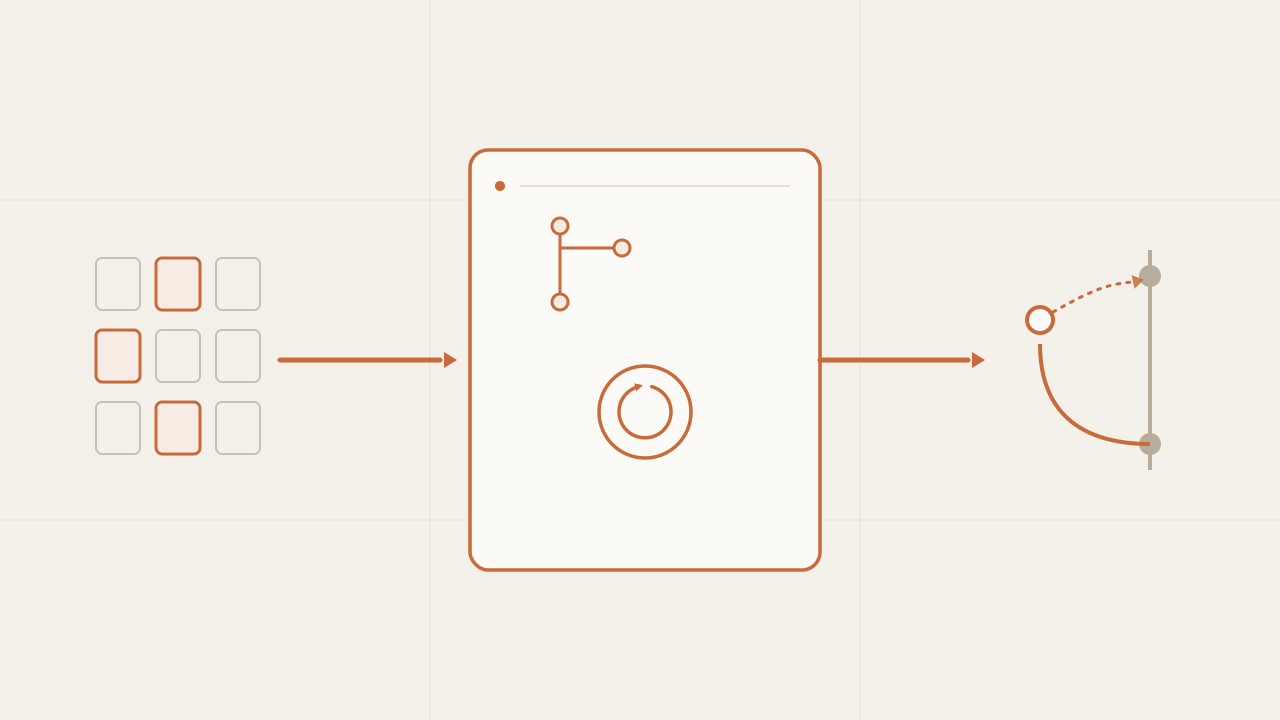
The previous post gave the agent tools to read, search, edit, and run across a multi-file repository, but running directly on the same working copy you work in. That’s fine for understanding the loop; not for turning it loose on a real repo. This post is the missing wrapper: where the agent runs when the repository actually matters. The idea is to give each task an isolated copy—with git worktree and its own branch—have it reproduce the bug with a test before touching anything, run the whole suite so it doesn’t break what already worked, and ship its output as a pull request, not a merge.
TL;DR
- Don't let the agent run on your working copy. Give each task its own isolated copy with
git worktreeand a branch: a failed attempt is a branch you delete, and two tasks at once don't step on each other. - The flow that works for bugs is writing the failing test first (red), fixing until it's green, then running the WHOLE suite at the end to catch regressions. The new test passing isn't enough.
- The agent's output is a PR, not a merge. It proposes a diff on its own branch; a person reviews and integrates it. Isolating the work and shipping it as a PR is what lets you leave it running unsupervised.
In this article:
- Fundamentals — Why not to touch your working copy · Fresh clone or git worktree
- Implementation — One branch per task with worktree · Reproduce before fixing · Run the whole suite
- Operation — The PR as the output · Where it gets complicated
Why the agent shouldn’t touch your working copy
The tools from the previous post—write_file and run_command—operate on the filesystem: they write real files and run real commands. While the repo is a toy example, it doesn’t matter where they run. On a real repository, where they run is the first serious decision, because the agent gets steps wrong: it opens the wrong file, leaves a change half-done, runs a command that fails. If all of that happens on your active working copy—the working tree, the files you have open right now—the damage is direct.
Three problems show up immediately. The first is that the agent’s work mixes with yours: if you had uncommitted changes, you now don’t know which lines are yours and which the agent put there. The second is that an attempt aborted mid-edit leaves broken files in your tree, and cleaning that up by hand is exactly what you wanted to avoid. The third is that you can’t run two tasks at once, because both would write to the same files.
| On your working copy (bad) | Isolated per task (good) | |
|---|---|---|
| Your work | The same tree | The main copy, untouched |
| Agent t1 | The same tree | Worktree 1 + branch agent/t1 |
| Agent t2 | The same tree | Worktree 2 + branch agent/t2 |
| Result | They collide | Each task runs on its own |
The solution is the same one a human team uses to avoid stepping on each other: each task works on its own copy and its own branch. The only difference here is that the program creates and destroys the copy, not a person.
A fresh clone or git worktree: where the agent runs
There are two ways to isolate each task: a fresh clone and a git worktree; both isolate, what changes is the cost. A fresh clone (git clone into a temp directory per task) is easy to reason about—a whole, independent repo with its own .git—but heavy: it copies the entire history and forces you to reinstall dependencies every time.
git worktree, the one I used, is nearly instant because it doesn’t duplicate the repository: every worktree shares the same object database (.git/objects), the refs, the hooks, and the config, and each one just materializes another working directory on a different branch. The trade-off is that a worktree is not an independent repository—it stays tied to the original .git. It isolates the working copy, not the Git repository underneath.
| Fresh clone | git worktree | |
|---|---|---|
| Isolates the working copy | Yes | Yes |
Shares .git objects | No (copies everything) | Yes (a single .git) |
| Cost to create | High (clones the whole repo) | Low (just the working copy) |
Dependencies (node_modules) | Reinstalls | Reinstalls (not shared) |
| Several tasks at once | Yes, but heavy | Yes, lightweight |
Neither the clone nor the worktree share node_modules—it lives in the working copy, not in .git—so each copy pays for its own install, though modern package manager caches (pnpm’s store, npm’s cache, a CI dependency cache) soften the blow quite a bit. And that cost, even so, is usually smaller than what actually dominates an agent task: the LLM calls, the suite run, and the CI pipeline. Cloning or creating the worktree almost never takes more than 1% of a task’s total time; the rest of this post is about managing that small fraction well, not about the real bottleneck.
One branch per task with git worktree
The mechanism is a single git command: create a worktree on a new branch. The agent works inside that folder, and by the time it’s done the branch has all its commits, ready to review. If the task goes wrong, it’s discarded entirely and your repository never knew.
# A separate working copy for the task, on its own branch.
git worktree add -b agent/fix-users ../wt-fix-users HEAD

# The agent works inside ../wt-fix-users; your main working copy stays untouched.
# When it's done, the agent/fix-users branch has the task's commits.

# If the task goes wrong, discard it without a trace:
git worktree remove --force ../wt-fix-users
git branch -D agent/fix-users
In the orchestrator, that’s a function that wraps the loop from the previous post: it sets up the worktree, runs the agent with that directory as its root, and cleans up if something fails. The loop itself doesn’t change—it’s the same ReAct with its four tools—the only new thing is that it now lives inside an isolated, disposable space.
// orchestrator.ts — one task = one isolated worktree + its own branch.
import { execFileSync } from "node:child_process";
import { runAgent } from "./agent"; // the ReAct loop from the previous post

const git = (cwd: string, ...args: string[]) =>
  execFileSync("git", args, { cwd, encoding: "utf8" });

export async function runTask(repoDir: string, taskId: string, goal: string) {
  const branch = `agent/${taskId}`;
  const worktree = `${repoDir}/../wt-${taskId}`;

  git(repoDir, "worktree", "add", "-b", branch, worktree, "HEAD");
  try {
    await runAgent(goal, worktree);
    return { branch, worktree }; // ready to review and open the PR
  } catch (err) {
    git(repoDir, "worktree", "remove", "--force", worktree); // failed attempt, discarded
    throw err;
  }
}
# orchestrator.py — one task = one isolated worktree + its own branch.
import subprocess
from agent import run_agent # the ReAct loop from the previous post
def git(cwd: str, *args: str) -> str:
return subprocess.run(["git", *args], cwd=cwd, check=True,
capture_output=True, text=True).stdout
def run_task(repo_dir: str, task_id: str, goal: str) -> dict:
branch = f"agent/{task_id}"
worktree = f"{repo_dir}/../wt-{task_id}"
git(repo_dir, "worktree", "add", "-b", branch, worktree, "HEAD")
try:
run_agent(goal, worktree)
return {"branch": branch, "worktree": worktree} # ready to review and open the PR
except Exception:
git(repo_dir, "worktree", "remove", "--force", worktree) # failed attempt, discarded
raise<?php
// orchestrator.php — one task = one isolated worktree + its own branch.
require "agent.php"; // run_agent(): the ReAct loop from the previous post
function git(string $cwd, string ...$args): string {
$cmd = "git " . implode(" ", array_map("escapeshellarg", $args));
return shell_exec("cd " . escapeshellarg($cwd) . " && $cmd 2>&1") ?? "";
}
function run_task(string $repoDir, string $taskId, string $goal): array {
$branch = "agent/$taskId";
$worktree = "$repoDir/../wt-$taskId";
git($repoDir, "worktree", "add", "-b", $branch, $worktree, "HEAD");
try {
run_agent($goal, $worktree);
return ["branch" => $branch, "worktree" => $worktree]; // ready for the PR
} catch (\Throwable $e) {
git($repoDir, "worktree", "remove", "--force", $worktree); // failed attempt, discarded
throw $e;
}
}The taskId keeps tasks separate: the branch, the worktree folder, and the PR all carry that identifier. Launching five tasks at once means five independent worktrees that don’t step on each other while they work.
What the worktree doesn’t solve is what happens if two tasks touch the same file. If task A and task B branch off the same commit and both edit users.ts, each ends up with a clean diff on its own branch—the worktree did its job, neither saw the other’s changes—but by the time the PR lands, one of the two is going to conflict with the other on merge. That’s not a problem with the agent or the worktree: it’s the same problem any human team has with two parallel branches touching the same file. The fix isn’t any different either: someone resolves the conflict when reviewing the second PR, or the orchestrator serializes tasks known to touch the same module.
The code above only cleans up the worktree on the failure path, for brevity. In production the full flow is create the worktree, run the agent, push the branch, open the PR, and only then delete the local worktree with git worktree remove—what persists is the branch, not the worktree. Leaving them around “just in case” is exactly what fills the repo with dead folders.
One more layer: the worktree isolates the code, but not the process or the operating system—the agent is still running run_command on your machine. A serious agent runs that worktree inside an ephemeral container—Docker or a Firecracker-style microVM—the same sandbox from post 3 applied to the whole wrapper. I’m leaving it out here so as not to mix two kinds of isolation, but on a repo that matters you’ll want both.
Reproducing the bug before fixing it
With the agent isolated, the next question is how it works a bug task. The temptation is to turn it loose on “fix the 500 on the users endpoint” and let it edit until something looks right, but without an objective signal, looking right is all you’re going to get. The discipline that turns that into a real fix is the write-test-fix one, applied in strict order: first the test that reproduces the bug, then the fix.
The order matters. A test that fails for the right reason is proof the agent found the bug; if it can’t turn it red, it didn’t reproduce it, and any “fix” after that is blind. Only once the test is red for the expected reason does it make sense to touch the code, because now there’s a clear condition for when the bug stops existing: the test turns green.
-
Bug reported — “/users returns 500 when filtering by role”
-
Write a test that reproduces it — run it, it comes out red
Bug confirmed. If it comes out green, you did not reproduce it.
-
Fix the code — run it, it comes out green
The new test passes.
-
Run the whole suite
Anything old in red?
- Yes — it is a regression: back to step 3.
- No — done.
This new test isn’t throwaway work: it stays in the PR as a regression test. It’s what keeps the same bug from coming back three months later unnoticed, and it’s what gives the reviewer a way to confirm the fix without reading the whole diff—run the test, see it green, check it was red before. Who decides what counts as correct is the evaluator I talked about in another post in the series; here that evaluator is the reproduction test plus the suite that already existed.
Running the whole suite, not just the new test
Step 3 in the diagram is the one that gets skipped most often, and it costs the most when it does. The new test passing proves the bug got fixed; it doesn’t prove the fix didn’t break something else. A change to roles.ts that stops /users from returning 500 can, without anyone looking for it, break the permissions endpoint that depended on the same code. That’s called a regression, and the only way to catch it is to run the full suite, not just the test you just wrote.
That’s why the agent’s “done” condition isn’t “my test passes,” it’s “the whole suite passes and my test actually ran.” The second part matters: if the gate only requires the suite to be green, the agent can satisfy it by deleting the test that was giving it trouble. Requiring the reproduction test to show up in the output closes that shortcut.
// done.ts — "done" isn't "my test passes," it's "the whole suite passes."
import { execSync } from "node:child_process";

export function isDone(worktree: string, newTest: string): boolean {
  try {
    // Run the FULL suite, not just the new test: that way a fix that
    // breaks something else (a regression) shows up red here.
    const out = execSync("npm test", { cwd: worktree, encoding: "utf8" });
    // And require the test that reproduced the bug to have actually run,
    // so the agent can't "pass" by deleting it.
    return out.includes(newTest);
  } catch {
    return false; // any red test — new or old — means not done
  }
}
# done.py — "done" isn't "my test passes," it's "the whole suite passes."
import subprocess
def is_done(worktree: str, new_test: str) -> bool:
try:
# Run the FULL suite, not just the new test: that way a fix that
# breaks something else (a regression) shows up red here.
out = subprocess.run(["npm", "test"], cwd=worktree, check=True,
capture_output=True, text=True).stdout
# And require the test that reproduced the bug to have actually run,
# so the agent can't "pass" by deleting it.
return new_test in out
except subprocess.CalledProcessError:
return False # any red test — new or old — means not done<?php
// done.php — "done" isn't "my test passes," it's "the whole suite passes."
function is_done(string $worktree, string $newTest): bool {
// Run the FULL suite, not just the new test: that way a fix that
// breaks something else (a regression) shows up red here.
$out = [];
$code = 0;
exec("cd " . escapeshellarg($worktree) . " && npm test 2>&1", $out, $code);
if ($code !== 0) {
return false; // any red test — new or old — means not done
}
// And require the test that reproduced the bug to have actually run,
// so the agent can't "pass" by deleting it.
return str_contains(implode("\n", $out), $newTest);
}Running the whole suite on every turn has a cost: on a large repo that’s minutes, and the agent runs it several times. The tempting optimization is to run only the tests near the change, but that reopens exactly the hole you wanted to close, because the regression is almost always in the test you didn’t think was related. A reasonable middle ground is letting the agent iterate against a fast subset while fixing, and requiring the full suite only as the final gate. What doesn’t work is never running it: without the full suite, “done” means “the symptom went away,” not “the change is safe.”
The PR as the output, not the merge
Here’s the decision that changes the whole model. It’s tempting to let the agent merge to main and close the task on its own once the tests pass. It doesn’t. Its output is a pull request: it packages the work on its branch, pushes it, and opens a PR. A person decides the integration to main.
# Inside the task's worktree, with tests already green:
git -C ../wt-fix-users add -A
git -C ../wt-fix-users commit -m "fix: /users returns 500 when filtering by role"
git -C ../wt-fix-users push -u origin agent/fix-users

# The agent's output is a PR, not a merge to main:
gh pr create --head agent/fix-users \
  --title "fix: /users returns 500 when filtering by role" \
  --body "Reproduces the bug with a new test; the whole suite is green."
The PR isn’t bureaucracy, it’s the checkpoint. An agent can leave the suite green and still have solved the wrong problem, introduced an unsafe change, or “fixed” the test instead of the code. Tests catch the errors you know to anticipate; the PR is where a person catches the ones you don’t. And because the work came in isolated on its own branch, that PR can be rejected and deleted without consequences.
What happens after the PR opens isn’t any different from what you already do with a human’s work:
- The agent opens the PR
- CI — build + suite
- Human review
- Merge to main
- Cleanup
If CI or the review fails
- Back to the agent — with the error as context
- The PR gets closed
What changes most about giving each task a worktree isn’t speed—it’s that you stop reviewing out of fear: a failed attempt is a branch you delete, not your day’s work mixed in with the agent’s.
Isolation and the PR are two halves of the same idea: the agent has total freedom to be wrong inside its branch, and zero ability to do damage outside it. That asymmetry is what makes it worth turning loose on a repo that matters.
Where it gets complicated
The pattern is solid, but it has edges worth knowing before you trust it:
- Worktrees share the
.git. Operations that touch the shared repository (some branch operations,gc) can collide across concurrent worktrees. Don’t assume total isolation: the working copy is isolated, the.gitisn’t. - Two parallel tasks can touch the same file. The worktree doesn’t prevent the conflict, it just postpones it to the second PR. Serialize tasks you know touch the same module.
- Dependencies get reinstalled per copy.
node_modulesisn’t shared, so that repeated install—not git—is the real bottleneck with many tasks at once. Caching the dependency directory is the first optimization you’ll want. - Flaky tests poison the signal. If the suite fails intermittently, the “all green” gate turns into noise and the agent retries fixes it didn’t need. Stabilize it before turning the agent loose.
- Cleanup piles up. Abandoned worktrees and dead branches accumulate if you don’t prune (
git worktree prune, deleting merged or discarded branches). - Secrets travel to the copy. A
.envor credentials in every worktree widen the exposure surface; inject the minimum and never leave it in a commit on the branch. - The PR still needs a real review. Isolation keeps the agent from breaking
main, not from proposing a bad change. If it gets approved unread because “the tests pass,” you lost the checkpoint.
None of these invalidate the model; they bound it. The agent is a collaborator that proposes isolated work, and integration remains a human decision.
Frequently asked questions
Worktree or a fresh clone per task?
Start with worktree: it isolates the working copy just like a clone, but creating it is much faster because it doesn’t copy the history. The clone’s only real advantage is total .git isolation, which matters if your tasks do heavy operations on the shared repository; for the normal case—edit, run tests, commit on a branch—the worktree is enough. Either way, dependencies aren’t shared and each copy pays for its own install, though the package manager’s caches make it cheaper.
Why write the failing test first?
Because a test that fails for the right reason is the only objective proof you reproduced the bug. Writing it first gives you two things: confirmation you understood the failure (it goes red) and a clear condition for when the fix is done (it goes green). It also stays around as a regression test and keeps the bug from coming back unnoticed.
Why a PR and not a direct merge to main?
Because green tests don’t guarantee the change is correct, only that it didn’t break what you know to verify. An agent can solve the wrong problem or introduce an unsafe change with the suite green; the PR is where a person reviews what the tests can’t judge. Since the work comes isolated on its branch, rejecting it costs no more than deleting a branch.
How do I run several tasks in parallel without them colliding?
A worktree and a branch per task, identified by a taskId. Two tasks edit and run tests at once without seeing each other, but “not seeing each other” isn’t “no conflict”: if they touch the same file, the collision shows up when the second PR opens, not before. And the practical limit on how many you run at once isn’t git either, it’s resources: each copy reinstalls dependencies and runs its own suite.
Do I need all of this for a small agent?
No. For a script touching a toy repo, running directly is simpler and that’s fine. This wrapper pays off when the repository matters: when a bad change costs time, when several tasks run at once, or when you want to let the agent work unsupervised. The complexity is justified by what’s at stake.
Is this what Claude Code or background agents do?
It’s the skeleton, yes: an isolated environment per task—worktree, container, or ephemeral VM—its own branch, the suite as the done criterion, a PR as the output. The differences are in robustness—stronger isolation, cached dependencies, better handling of long tasks, finer-grained permissions—not in the underlying contract.
Conclusion
The leap in this post isn’t in the loop, which is still the same ReAct with its tools, but in the wrapper that makes it safe on a real repo: isolating each task in its own worktree and branch, reproducing the bug with a test before fixing it and requiring the full suite, and shipping the work as a PR instead of a merge. Together they form a useful asymmetry: the agent can be as wrong as it wants inside its branch, and it can’t do damage outside it.
If you’re going to build it, start with the worktree per task—it’s the piece that buys the most peace of mind for the least code—have the agent write the reproduction test before touching anything, put the full suite as the final gate, and make the loop’s last action open a PR. With that you have an agent that operates on a real repository without you having to watch it.
Chatbot vs AI agent: differences, benefits and which one your business needs
Chatbot vs AI agent: what each one does, their benefits, the work and risk an agent adds, and how to decide which one your business needs before a quote.
Read more
What is Jev: TypeSafe AI's model that decides instead of writing
What is Jev, TypeSafe AI's System One model: it returns typed decisions with probabilities instead of text. How to call its API, what it costs and when to use it.
Read more
Sensitive data out of the prompt: a TypeScript library written in 39 minutes from its specification
sanitype redacts, masks or drops sensitive data inside the process before a payload leaves for an LLM, a log sink or a third party. How it is implemented in TypeScript.
Read more