Orca: the ADE for orchestrating a fleet of coding agents in parallel
I tried Orca, the open-source Agent Development Environment (ADE), to run a fleet of coding agents in parallel—Claude Code, Codex and more, each in its own isolated worktree.
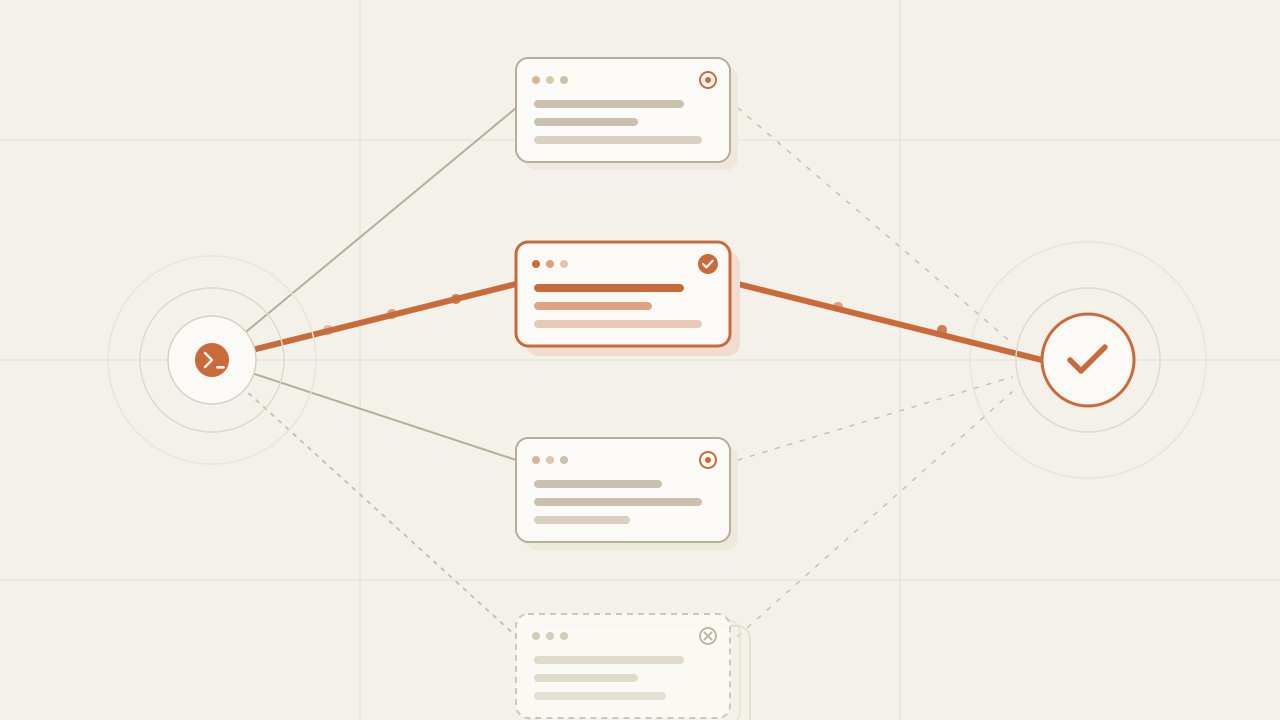
What do you do when Claude Code proposes one solution, Codex a different one, and Gemini a third? The usual move is to pick an agent up front and take whatever it produces. Orca changes that dynamic: it runs all three at once, each isolated in its own git worktree, and lets you compare the results and merge the one that won. It’s an open-source ADE (Agent Development Environment)—MIT, by Stably AI—an environment built for coding agents to work in parallel, not for one person writing line by line. I tried it to orchestrate a fleet of agents, and this is what it does today, on the build they shipped this same week.
TL;DR
- Orca runs any CLI agent (Claude Code, Codex, Gemini, Grok, Cursor CLI, OpenCode and 25+ more) in parallel, each in its own isolated worktree, on your own subscription.
- It has a CLI (
orca worktree,orca terminal) and an orchestration layer with tasks, dispatches and decision gates to coordinate the fleet from a coordinator agent. - It runs on macOS, Windows and Linux, plus iOS and Android apps to monitor and steer agents from your phone. Install via brew or AUR. They ship daily.
In this article:
- Fundamentals — What Orca is and what an ADE means · Why parallelize with isolated worktrees
- Implementation — Which agents and platforms it supports today · How to install Orca · The CLI: automating worktrees and terminals · Fanning a prompt out to several agents
- Operation — The orchestration layer · Design Mode, browser and diffs · Mobile and worktrees over SSH · Limitations and when it’s worth it
What Orca is and what an ADE means
An IDE is designed for a person to read, write and debug code. An ADE changes the primary user: the one operating the environment is the agent, and the person moves to coordinating, reviewing and deciding. Orca describes itself as “the ADE for working with a fleet of parallel agents,” and that phrase captures what sets it apart from an editor with a chat panel bolted onto the side.
The practical difference is that Orca doesn’t assume one agent, but several running at once. Instead of opening a terminal, launching an agent and waiting, you set up several agents in parallel, each with its own terminal, browser and context, and you see them all in one place. It’s open source (MIT license), written almost entirely in TypeScript, and it runs on your own subscription for each agent: there’s no billing layer in the middle, you use your Claude account, your Codex account, or whichever you have.
One misconception is worth clearing up before going further: Orca doesn’t compete with Claude Code or Codex, it runs them. The useful comparison isn’t Orca against an agent, but Orca against the other ways of working with agents. The axis that matters is one: is the tool built for one agent or for several in parallel?
| Tool | What it is | Several in parallel | Isolated worktree per task | Orchestration |
|---|---|---|---|---|
| Claude Code / Codex | CLI agent | Manual, across terminals | Not native | No |
| Cursor | AI IDE | Background agents | No | No |
| OpenHands | Autonomous agent | Not native | No | No |
| Orca | ADE | Yes, native | Yes | Yes |
Put another way: the first three are designed around one agent solving a task, and running several in parallel is something you rig up by hand if at all. Orca flips the starting point: the unit isn’t the agent, it’s the fleet. And because it wraps them instead of replacing them, inside Orca you still use Claude Code or whichever agent you prefer. (The landscape moves fast and several of these tools are adding parallel-agent features; the table is today’s snapshot, not a verdict.)
Why parallelize with isolated worktrees
The technical detail that makes all of this work is the git worktree. A worktree is an additional working copy of the same repository, with its own branch and its own files, sharing the git history. Orca creates one per task. That way two agents touching the same files don’t step on each other: each writes in its worktree, on its branch, with no stashes or checkout conflicts.
That unlocks Orca’s central pattern: send the same prompt to several agents at once and compare. Each agent solves the task its own way, in its worktree, and at the end you review the results side by side and merge the best one.
-
One prompt
-
Four agents in parallel — Claude, Codex, Gemini and Grok
Each one in its own worktree.
-
You compare the results and merge the best one
Without isolation this would be unworkable: four agents editing the same working copy end in a mess of half-changed files. With one worktree per agent, each attempt is independent and disposable. The one that doesn’t work gets deleted without touching the rest.
Which agents and platforms it supports today
If the agent runs in a terminal, it runs in Orca. Today it ships with more than 25 preconfigured CLI agents—Claude Code, Codex, Gemini, Grok, Cursor CLI, GitHub Copilot, OpenCode, Pi, Cline, Continue, Droid—and any other one is added by hand. Since each runs on your subscription, Orca includes account switching and usage tracking for Claude and Codex. On platforms it covers the three desktop ones plus mobile:
| Platform | Installation |
|---|---|
| macOS (Apple Silicon / Intel) | Homebrew or direct DMG |
| Linux | AppImage or AUR (yay -S stably-orca-bin) |
| Windows | .exe installer |
| iOS | App Store / TestFlight |
| Android | APK |
The project ships daily: as of this writing, the latest version is v1.4.124 (July 6, 2026), with several release candidates per day. Any feature list ages fast, so check the releases page before taking anything for granted.
How to install Orca on each platform
On desktop it’s one command or an installer—Homebrew on macOS, an AUR helper on Linux:
# macOS (Homebrew)
brew install --cask stablyai/orca/orca

# Linux (AUR, with yay)
yay -S stably-orca-bin

# Windows: .exe installer from the releases page
# Mobile: iOS on App Store / TestFlight, Android via APK
The CLI isn’t installed separately: it ships with the app. You enable it once under Settings → Experimental → CLI, and from then on the orca binary is available in your terminal (orca status --json confirms it’s set up).
The CLI: automating worktrees and terminals
The CLI is what makes Orca scriptable: from the terminal you manage worktrees, control the agents’ terminals, open files and diffs, and automate the built-in browser. Almost every command accepts --json so you can chain them and parse the output. The two groups I used most are worktree and terminal:
# Each task lives in its own worktree: list the ones that are running
orca worktree ps --json

# Create a new one tied to an issue and start an agent in its terminal
orca worktree create --repo id:<repoId> --name fix-login --issue 123 --json
orca terminal create --worktree active --command "claude" --json

# Send text to the agent and wait until it goes idle before the next step
orca terminal send --worktree active --text "run the tests" --enter --json
orca terminal wait --for tui-idle --timeout-ms 30000 --json
The command that makes the difference is orca terminal wait --for tui-idle: it blocks until the agent is done working in its terminal. Without it, a script that dispatches work to an agent has no way to know when to continue; with it, you can sequence steps—create worktree, launch agent, send prompt, wait for it to finish, read the diff—without guessing at timings.
Fanning a prompt out to several agents
With those commands, the “one prompt, several agents” pattern is a short script. The idea: for each agent in the list, create an isolated worktree, launch the agent in its terminal and send it the same prompt. When it’s done, you have N independent attempts at the same task, ready to compare.
// fan-out.ts — fan a prompt out to several agents, each in its own worktree
import { execFileSync } from "node:child_process";

const AGENTS = ["claude", "codex", "gemini"];

function orca(args: string[]): { id: string } {
  // Orca's CLI returns JSON with --json; we parse it to chain steps.
  const out = execFileSync("orca", [...args, "--json"], { encoding: "utf8" });
  return JSON.parse(out);
}

function fanOut(repoId: string, prompt: string): void {
  for (const agent of AGENTS) {
    // One isolated worktree per agent: no branch or file conflicts.
    const wt = orca(["worktree", "create", "--repo", `id:${repoId}`, "--name", `try-${agent}`]);
    // Launch the agent in its terminal and send it the same prompt.
    orca(["terminal", "create", "--worktree", `id:${wt.id}`, "--command", agent]);
    orca(["terminal", "send", "--worktree", `id:${wt.id}`, "--text", prompt, "--enter"]);
  }
}

fanOut(process.argv[2], process.argv[3]);
# fan_out.py — fan a prompt out to several agents, each in its own worktree
import json
import subprocess
import sys
AGENTS = ["claude", "codex", "gemini"]
def orca(args: list[str]) -> dict:
# Orca's CLI returns JSON with --json; we parse it to chain steps.
out = subprocess.check_output(["orca", *args, "--json"], text=True)
return json.loads(out)
def fan_out(repo_id: str, prompt: str) -> None:
for agent in AGENTS:
# One isolated worktree per agent: no branch or file conflicts.
wt = orca(["worktree", "create", "--repo", f"id:{repo_id}", "--name", f"try-{agent}"])
# Launch the agent in its terminal and send it the same prompt.
orca(["terminal", "create", "--worktree", f"id:{wt['id']}", "--command", agent])
orca(["terminal", "send", "--worktree", f"id:{wt['id']}", "--text", prompt, "--enter"])
fan_out(sys.argv[1], sys.argv[2])<?php
// fan_out.php — fan a prompt out to several agents, each in its own worktree
const AGENTS = ["claude", "codex", "gemini"];
function orca(array $args): array {
// Orca's CLI returns JSON with --json; we parse it to chain steps.
$parts = array_map("escapeshellarg", [...$args, "--json"]);
$out = shell_exec("orca " . implode(" ", $parts));
return json_decode($out, true);
}
function fan_out(string $repoId, string $prompt): void {
foreach (AGENTS as $agent) {
// One isolated worktree per agent: no branch or file conflicts.
$wt = orca(["worktree", "create", "--repo", "id:$repoId", "--name", "try-$agent"]);
// Launch the agent in its terminal and send it the same prompt.
orca(["terminal", "create", "--worktree", "id:{$wt['id']}", "--command", $agent]);
orca(["terminal", "send", "--worktree", "id:{$wt['id']}", "--text", $prompt, "--enter"]);
}
}
fan_out($argv[1], $argv[2]);This is the manual version of the fan-out. It’s enough to understand the mechanism, but to really coordinate a fleet—with task dependencies, retries and blocking decisions—Orca ships a dedicated layer on top of the CLI.
In one test I sent the same refactor to four agents at once. A couple touched files they shouldn’t have, one stalled halfway, and one solved it cleanly. In exchange for running several in parallel, I didn’t have to iterate on a single half-baked solution. What made the exercise useful wasn’t that one got it right, but being able to see them at the same time and discard the failed worktrees without any of them having touched my main branch.
The orchestration layer: coordinating the fleet
Launching five agents is easy; coordinating them is the real problem. Orca’s orchestration layer exists for that: a coordinator agent hands out work to worker agents and tracks their progress through a shared system of messages and tasks. It installs as a skill the coordinator uses:
# Install the orchestration skill so the coordinator agent can use it
npx skills add https://github.com/stablyai/orca --skill orchestration

# Dispatch work to the idle agents and let Orca manage the loop
orca orchestration run --max-concurrent 4 --json
Underneath there are four pieces worth knowing:
- Messages: persistent notes between terminals, with types like
dispatch(assign work),worker_done(finished),escalation(I’m stuck) ordecision_gate(I need a decision). - Tasks: units of work with their spec, their dependencies and a status (
pending,ready,dispatched,completed,failed,blocked). They can be chained into a DAG when one depends on another. - Dispatches: the assignment of a task to a specific terminal. If it fails, it can be retried with fresh context.
- Decision gates: questions that belong to the coordinator and block a task until they’re resolved. It’s the point where a person decides before the fleet moves on.
The handout isn’t blind: you dispatch to groups with addresses like @all (every terminal), @idle (the free ones), @codex (by agent type) or @worktree:<id> (a specific one). Each worker gets a preamble with the communication rules and, when done, reports with a worker_done that includes the task and dispatch IDs. With orca orchestration run, Orca manages that loop for you up to a maximum number of concurrent workers.
Design Mode, browser and diff review
A lot of an agent’s work isn’t judged by reading the diff, but by seeing the result on screen. Orca gives each worktree its own Chromium window. In Design Mode you can click on a UI element and send the agent the HTML, the CSS and a screenshot of that element, so it fixes exactly that without describing it in words.
Review is also built for the back-and-forth with the agent. The diff viewer lets you drop markdown comments on specific lines and send them back so the agent refines the change. And since the GitHub and Linear integrations live inside the app, you can review PRs and issues without switching windows. The terminals, for their part, are Ghostty-class: WebGL rendering, infinite splits, and a scrollback that survives restarts.
Mobile and worktrees over SSH
Two features widen where the fleet runs. The first is worktrees over SSH: you can run the agents on a beefy remote machine—with full file editing, git and terminals—and Orca handles auto-reconnection and port forwarding. Useful when your laptop can’t handle several agents at once and you’d rather use a server.
The second is mobile. The iOS and Android apps aren’t a read-only viewer: they let you monitor the agents, get a notification when one finishes, and send it a follow-up from your phone. Combined with remote execution, you can launch a fleet, step away, and steer it from your phone while it works.
Limitations and when Orca is worth it
Orca isn’t magic, and running a fleet has its cost. Before adopting it, keep in mind:
- Cost multiplies with agents. Running the same task across several agents multiplies token consumption in proportion to how many you launch. The fan-out pays off when the task is hard and comparing approaches is worth it, not for trivial changes.
- Comparing and merging is still human work. Orca makes it easy to see results side by side, but deciding which one works and doing the merge is on you. With many worktrees at once, that review becomes the bottleneck.
- The CLI is experimental. You have to enable it by hand and its surface changes between versions. A script that works today may need adjustments after an update, especially with daily shipping.
- Each agent behaves differently. The same prompt performs differently on Claude Code, Codex or Gemini. The fleet compares approaches, but it doesn’t remove the need to know each agent’s quirks.
Summed up for a quick call:
Use Orca when:
- the task admits several solutions and comparing them is worth it;
- you want to pit several agents or LLMs against the same problem;
- the extra token cost is worth finding a better implementation;
- you’re going to review and merge the results.
Don’t use it when:
- it’s a small, linear change;
- a single agent solves the task without doubt;
- you won’t review what the fleet produces: without review, parallelism adds nothing.
If you work with a single agent for linear changes, a normal IDE with its extension is enough; the ADE starts to pay off when the work is genuinely parallel.
If you’re coming from running a single agent, it helps to have the fundamentals clear before jumping to the fleet: what an agent loop is and how an agent behaves in a real repo. Orca is the layer that puts several of those loops running at once.
Frequently asked questions
Is Orca free?
Yes. It’s open source under the MIT license and the desktop and mobile apps have no cost. What you pay for is the subscription of each agent you use (Claude, Codex, etc.), because Orca runs on your own account and doesn’t charge on top. There’s no billing layer in the middle.
Do I need to know git worktrees to use Orca?
Not for normal use. Orca creates and manages the worktrees for you; you see them as “tasks,” each with its own terminal and branch. Understanding the concept helps you reason about why the agents don’t step on each other, but you don’t have to run worktree commands by hand unless you want to script your own flow with the CLI.
Can I use an agent that isn’t on the list?
Yes. Orca wraps any agent that runs in a terminal. The 25+ preconfigured ones (Claude Code, Codex, Gemini, Grok, Cursor CLI, OpenCode and others) are shortcuts, but if your agent launches with a shell command, you can add it as a custom command.
How is the CLI different from the orchestration layer?
The CLI (orca worktree, orca terminal, orca file) operates Orca from the terminal: create worktrees, send text to an agent, read diffs. The orchestration layer sits on top: it provides tasks with dependencies, dispatches, retries and decision gates so a coordinator agent can hand out work among several workers and track their progress. One is manual control; the other is structured coordination of the fleet.
Does it really run on mobile or just monitor?
The iOS and Android apps let you monitor and also steer: you get a notification when an agent finishes and you can send it a follow-up. The agent’s execution happens on your desktop machine or a remote box over SSH; the phone is the remote control, not where the heavy work runs.
Conclusion
Orca starts from an idea that sounds obvious once you see it: if you’re going to work with coding agents, the environment should be built for several at once, not for one. The isolated worktree per task is what makes it possible without them stepping on each other, the CLI makes it scriptable, and the orchestration layer turns “launch five agents” into “coordinate a fleet” with tasks, dispatches and blocking decisions. Start by installing it and running two agents in parallel on a real task; when you see the two worktrees side by side and discard the one that doesn’t work without touching your branch, the rest of the mental model falls into place on its own. And since they ship daily, check the releases page: what you read here is today’s snapshot.
Sources
Chatbot vs AI agent: differences, benefits and which one your business needs
Chatbot vs AI agent: what each one does, their benefits, the work and risk an agent adds, and how to decide which one your business needs before a quote.
Read more
What is Jev: TypeSafe AI's model that decides instead of writing
What is Jev, TypeSafe AI's System One model: it returns typed decisions with probabilities instead of text. How to call its API, what it costs and when to use it.
Read more
Sensitive data out of the prompt: a TypeScript library written in 39 minutes from its specification
sanitype redacts, masks or drops sensitive data inside the process before a payload leaves for an LLM, a log sink or a third party. How it is implemented in TypeScript.
Read more