The sandbox in an agent loop: from the model's text to a reliable observation
The sandbox in an agent loop turns the model's text into a reliable observation: extract the code from the prose, check that it parses, run it with a timeout, and isolate the process.
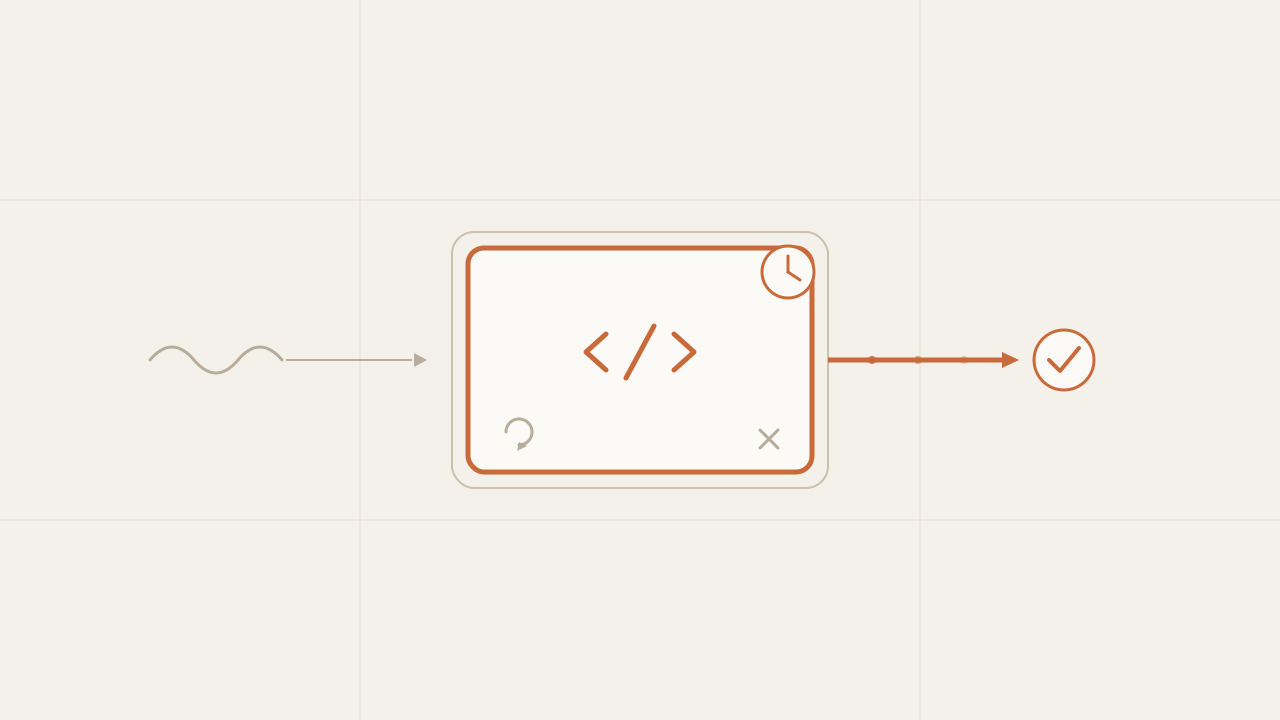
The sandbox is the part of the write-test-fix loop that takes the code the model wrote and runs it. But calling it “run” sells it short: its real job is to turn the model’s text output into a reliable observation, one the loop can base its next turn on. In the previous post that was a three-line runTests function—write the code to a file, run the tests, capture the output—and it worked because the example was a toy. The moment the code comes from a real model, four phases slip in between those three lines that the naive runner skips over, and each one has its own way of breaking.
TL;DR
- The sandbox is the loop's
runstep, but its job is to turn the model's text into a reliable observation. It goes through four phases: entry, preparation, execution, and isolation. - Extract the code from the prose, check that it parses, run it with a timeout and in a separate process with a clean environment. Watch out: the timeout only stops code that takes too long—not code that consumes too much—and a subprocess is not a security boundary.
- What moves the needle most is classification: having the sandbox return a status (not a boolean) and keep stdout and stderr separate, so each failure feeds back to the model as a distinct message.
In this article:
- The map — The four phases of the sandbox
- The phases — Entry: extract the code · Prep: does it parse? · Execution: timeout · Isolation
- The payoff — Classify, don’t just execute
The four phases of the sandbox
For the three-line runTests from the previous post to work, four assumptions have to hold: that the model’s reply is code, that the code parses, that it terminates, and that it’s safe to run. In the toy example all four hold because you wrote the case to behave well. In production none of them holds on its own, and each broken assumption is a phase of the sandbox: a filter the model’s output has to pass before moving on.
Here’s the map for the rest of the post. It helps to have the whole thing before diving into each piece:
| Phase | What it receives | What can break | The defense |
|---|---|---|---|
| Entry | The model’s text | It comes wrapped in prose or a fence | Extract the code |
| Preparation | The extracted code | It doesn’t parse | Syntax check |
| Execution | The valid code | It doesn’t terminate, or runs away | Timeout (with its limits) |
| Isolation | The running process | It touches your environment | Separate process, clean environment |
Seen this way, the sandbox isn’t a single block but a pipeline of four filters, and the model’s output crosses them one after another:
-
Entry — extract the code
Prose or fence?
-
Preparation — does it parse?
If not,
syntax_error. -
Execution — run with a timeout
timeout,test_failedorpass. -
Isolation — separate process, clean env
Out comes a classified observation, which feeds back to the loop.
The idea that ties the four phases together, and the one I come back to at the end: in each phase, a distinct outcome has to be able to feed back to the model as a distinct observation. That’s what separates a runner that merely executes from one that classifies.
Phase 1: extract the code from the prose
The loop’s system prompt asked for “only the code, no fences.” The model ignores that more often than you’d like: it wraps the reply in a markdown block, or prepends a line like “Here’s the corrected function.” Written to a file as-is, that’s no longer valid code, and the worst part is how it shows up: a syntax error on a line the model never wrote as code. I spent a while blaming the model for a logic bug that was really a leftover fence.
The defense is short. If there’s a fenced block, the code is what’s inside the first one; if not, assume the whole reply is code and trim the edges:
// extract-code.ts — pull the code out of the text the model returns.

// Even if you ask for "code only," the model sometimes wraps the reply in a
// markdown block or prepends a sentence. This keeps just the code.
export function extractCode(reply: string): string {
  // If there's a fenced block, the code is what's inside the first fence.
  const fenced = reply.match(/```(?:[a-z]+)?\s*\n([\s\S]*?)\n\s*```/i);
  if (fenced) return fenced[1].trim();
  // No fence: assume the whole reply is code and trim the edges.
  return reply.trim();
}
# extract_code.py — pull the code out of the text the model returns.
import re
# Even if you ask for "code only," the model sometimes wraps the reply in a
# markdown block or prepends a sentence. This keeps just the code.
def extract_code(reply: str) -> str:
# If there's a fenced block, the code is what's inside the first fence.
fenced = re.search(r"```(?:[a-z]+)?\s*\n([\s\S]*?)\n\s*```", reply, re.I)
if fenced:
return fenced.group(1).strip()
# No fence: assume the whole reply is code and trim the edges.
return reply.strip()<?php
// extract_code.php — pull the code out of the text the model returns.
// Even if you ask for "code only," the model sometimes wraps the reply in a
// markdown block or prepends a sentence. This keeps just the code.
function extract_code(string $reply): string {
// If there's a fenced block, the code is what's inside the first fence.
if (preg_match('/```(?:[a-z]+)?\s*\n([\s\S]*?)\n\s*```/i', $reply, $m)) {
return trim($m[1]);
}
// No fence: assume the whole reply is code and trim the edges.
return trim($reply);
}It’s the same tolerant parsing I used for JSON in model routing: don’t fight the model’s format, clean it. For a single function the first fence is enough; if the model returns several blocks—code plus a test, or two files—this heuristic falls short and it’s worth asking for a more explicit format in the prompt.
Phase 2: check that the code parses
With the code already extracted, the model still writes syntax errors: an unclosed parenthesis, a return outside a function. The naive runner executes it, the interpreter blows up, and the error lands in the same catch as a failed test. They shouldn’t go together: a syntax error gives you a line and column, a failed test gives you a wrong value. That’s different feedback, and if you mix them the model gets a murkier signal than it could have.
The fix is to check that the code parses before running it, using the language’s own parser without running the program:
// check-syntax.ts — does the code even parse? Without this, a syntax error
// gets confused with a failing test.
import { execSync } from "node:child_process";
import { writeFileSync } from "node:fs";

export function syntaxError(code: string): string | null {
  writeFileSync("analyze.ts", code);
  try {
    // node --check parses the file without running it.
    execSync("node --check analyze.ts", { encoding: "utf8", stdio: "pipe" });
    return null; // parses fine
  } catch (err: any) {
    return (err.stderr ?? err.stdout ?? "").toString(); // the parser's message
  }
}
# check_syntax.py — does the code even parse? Without this, a syntax error
# gets confused with a failing test.
def syntax_error(code: str) -> str | None:
try:
# compile() parses the code without running it.
compile(code, "analyze.py", "exec")
return None # parses fine
except SyntaxError as err:
return f"{err.msg} (line {err.lineno})" # the parser's message<?php
// check_syntax.php — does the code even parse? Without this, a syntax error
// gets confused with a failing test.
function syntax_error(string $code): ?string {
file_put_contents("analyze.php", $code);
$output = [];
$exitCode = 0;
// php -l does a "lint": it parses the file without running it.
exec("php -l analyze.php 2>&1", $output, $exitCode);
return $exitCode === 0 ? null : implode("\n", $output); // the parser's message
}Each language ships its own way to parse without running: node --check in Node, compile() in Python, php -l in PHP. The exact flag depends on your toolchain—if you compile TypeScript, the check is tsc --noEmit—but the idea is the same: ask the parser for a yes or no before spending an execution. With that, a syntax error becomes its own outcome instead of sneaking in as if it were a failing test.
Phase 3: timeout, and what timeout doesn’t cover
The model writes a while whose condition never becomes false, or a loop that forgets to advance the index. The naive runner waits for the process to finish, and since it never finishes, your whole loop freezes: no error, no failing test, just an agent that stopped making progress. The fix is to set a time cap and kill the process if it goes over:
// run-with-timeout.ts — run the tests, but never hang the loop.
import { execSync } from "node:child_process";
import { writeFileSync } from "node:fs";

const TIMEOUT_MS = 5000;

export function runTests(code: string): { passed: boolean; timedOut: boolean; output: string } {
  writeFileSync("analyze.ts", code);
  try {
    const output = execSync("node analyze.test.ts", {
      encoding: "utf8",
      timeout: TIMEOUT_MS, // if the code doesn't finish, we kill it
    });
    return { passed: true, timedOut: false, output };
  } catch (err: any) {
    // execSync flags the timeout by killing the process: err.killed or SIGTERM.
    const timedOut = err.killed === true || err.signal === "SIGTERM";
    return { passed: false, timedOut, output: (err.stdout ?? "") + (err.stderr ?? "") };
  }
}
# run_with_timeout.py — run the tests, but never hang the loop.
import subprocess
TIMEOUT_S = 5
def run_tests(code: str) -> dict:
with open("analyze.py", "w") as f:
f.write(code)
try:
proc = subprocess.run(
["python", "analyze_test.py"],
capture_output=True, text=True,
timeout=TIMEOUT_S, # if the code doesn't finish, TimeoutExpired is raised
)
return {"passed": proc.returncode == 0, "timed_out": False,
"output": proc.stdout + proc.stderr}
except subprocess.TimeoutExpired as err:
out = (err.stdout or "") + (err.stderr or "")
return {"passed": False, "timed_out": True, "output": out}<?php
// run_with_timeout.php — run the tests, but never hang the loop.
const TIMEOUT_S = 5;
function run_tests(string $code): array {
file_put_contents("analyze.php", $code);
$output = [];
$exitCode = 0;
// The `timeout` command kills the process if it goes past TIMEOUT_S seconds.
// It exits with code 124 when it expires.
exec("timeout " . TIMEOUT_S . " php analyze_test.php 2>&1", $output, $exitCode);
$timedOut = $exitCode === 124;
return [
"passed" => $exitCode === 0,
"timed_out" => $timedOut,
"output" => implode("\n", $output),
];
}Five seconds is a reasonable starting point for a small function; tune it to your slowest legitimate case, with margin.
But be careful about reading the timeout as general protection, because it only covers one class of failure: code that takes too long, not code that consumes too much. A loop that, instead of never terminating, keeps allocating memory blows up with an out-of-memory error (OOM), not on time. A process that spawns processes without stopping—a fork bomb—or opens thousands of sockets exhausts the machine without going over the clock. The timeout sees none of that.
Defending against that other class—limits on memory, CPU, number of processes, file descriptors—is no longer the runner’s job but the operating system’s isolation layer, and that’s a separate topic, one that’s worth its own series. What matters here, for the loop, is not to walk away thinking a timeout protects you from everything: it protects you from the most common category, and nothing more.
Phase 4: isolate the process (which isn’t security)
Let me start with what’s most often misread: what comes in this phase improves robustness a lot, but it’s not a security boundary. A subprocess shares the kernel, network, and disk with the rest of the machine; it isolates a crash and the memory state, not an attacker. It’s worth being clear about that before writing a line, so you don’t walk away believing a temp directory is a real sandbox.
That said, there’s a minimum that is worth it and costs little: keeping the model’s code from running with your own access. Two measures are enough to close the most obvious holes. A dedicated temp directory, so the code doesn’t have the rest of the project on hand to touch. And a clean environment, so it doesn’t see your environment variables, where your API keys probably live. In code these are two options when you launch the process—cwd and env—and I show them already wired into the runner in the next section, so as not to repeat them.
The rule I settled on: the level of isolation has to rise with your distrust of whoever produced the code and the prompt. For an agent that writes functions against your own tests, a separate process with a clean environment is proportionate. For a platform where anyone sends a prompt that ends up as code running on your infrastructure, that isn’t enough and you need OS-level isolation—but that’s building a production sandbox, a different problem from the one the loop solves. Starting with a subprocess is fine; staying there when the code stops being trustworthy is not.
The complete runner: classify, don’t just execute
Here’s the payoff for all of the above, and it isn’t robustness. It’s that the write-test-fix loop makes progress by feeding the result back to the model, and a model fixes things far better when that result tells it what kind of problem it has. So the piece that really matters isn’t any of the defenses on their own, but joining them into a runner that returns a status—not a boolean—and that keeps stdout and stderr separate:
// sandbox.ts — extract, validate, run isolated with a timeout, and classify the outcome.
import { execSync } from "node:child_process";
import { writeFileSync, copyFileSync, mkdtempSync } from "node:fs";
import { tmpdir } from "node:os";
import { join } from "node:path";
import { extractCode } from "./extract-code.js";
import { syntaxError } from "./check-syntax.js";

type Result = {
  status: "pass" | "syntax_error" | "timeout" | "test_failed";
  stdout: string; // the observation: what the program produced
  stderr: string; // the error: where the tests failed or the interpreter blew up
};

const TIMEOUT_MS = 5000;

export function runInSandbox(reply: string): Result {
  const code = extractCode(reply);                  // phase 1: pull the code out of the prose

  const synErr = syntaxError(code);                 // phase 2: does it parse?
  if (synErr) return { status: "syntax_error", stdout: "", stderr: synErr };

  const dir = mkdtempSync(join(tmpdir(), "run-"));   // phase 4: dedicated directory
  writeFileSync(join(dir, "analyze.ts"), code);
  copyFileSync("analyze.test.ts", join(dir, "analyze.test.ts"));

  try {
    const stdout = execSync("node analyze.test.ts", {
      cwd: dir,
      env: { PATH: process.env.PATH },              // phase 4: clean environment, no secrets
      encoding: "utf8",
      timeout: TIMEOUT_MS,                          // phase 3: cut off infinite loops
      stdio: ["ignore", "pipe", "pipe"],            // stdout and stderr kept separate
    });
    return { status: "pass", stdout, stderr: "" };
  } catch (err: any) {
    if (err.killed || err.signal === "SIGTERM") {
      return { status: "timeout", stdout: err.stdout ?? "", stderr: "" };
    }
    return { status: "test_failed", stdout: err.stdout ?? "", stderr: err.stderr ?? "" };
  }
}
# sandbox.py — extract, validate, run isolated with a timeout, and classify the outcome.
import os
import shutil
import subprocess
import tempfile
from extract_code import extract_code
from check_syntax import syntax_error
TIMEOUT_S = 5
def run_in_sandbox(reply: str) -> dict:
code = extract_code(reply) # phase 1: pull the code out of the prose
syn_err = syntax_error(code) # phase 2: does it parse?
if syn_err:
return {"status": "syntax_error", "stdout": "", "stderr": syn_err}
work = tempfile.mkdtemp(prefix="run-") # phase 4: dedicated directory
with open(os.path.join(work, "analyze.py"), "w") as f:
f.write(code)
shutil.copy("analyze_test.py", os.path.join(work, "analyze_test.py"))
try:
proc = subprocess.run(
["python", "analyze_test.py"],
cwd=work,
env={"PATH": os.environ["PATH"]}, # phase 4: clean environment, no secrets
capture_output=True, text=True, # stdout and stderr kept separate
timeout=TIMEOUT_S, # phase 3: cut off infinite loops
)
status = "pass" if proc.returncode == 0 else "test_failed"
return {"status": status, "stdout": proc.stdout, "stderr": proc.stderr}
except subprocess.TimeoutExpired as err:
return {"status": "timeout", "stdout": err.stdout or "", "stderr": ""}<?php
// sandbox.php — extract, validate, run isolated with a timeout, and classify the outcome.
require "extract_code.php";
require "check_syntax.php";
const TIMEOUT_S = 5;
function run_in_sandbox(string $reply): array {
$code = extract_code($reply); // phase 1: pull the code out of the prose
$synErr = syntax_error($code); // phase 2: does it parse?
if ($synErr !== null) {
return ["status" => "syntax_error", "stdout" => "", "stderr" => $synErr];
}
$work = sys_get_temp_dir() . "/run-" . bin2hex(random_bytes(4)); // phase 4: dedicated directory
mkdir($work);
file_put_contents("$work/analyze.php", $code);
copy("analyze_test.php", "$work/analyze_test.php");
// stdout (1) and stderr (2) on separate pipes; cwd and clean environment (phase 4).
$spec = [1 => ["pipe", "w"], 2 => ["pipe", "w"]];
$proc = proc_open(
"timeout " . TIMEOUT_S . " php analyze_test.php", // phase 3: cut off infinite loops
$spec, $pipes, $work, ["PATH" => getenv("PATH")]
);
$stdout = stream_get_contents($pipes[1]);
$stderr = stream_get_contents($pipes[2]);
fclose($pipes[1]);
fclose($pipes[2]);
$exit = proc_close($proc);
if ($exit === 124) return ["status" => "timeout", "stdout" => $stdout, "stderr" => ""];
$status = $exit === 0 ? "pass" : "test_failed";
return ["status" => $status, "stdout" => $stdout, "stderr" => $stderr];
}Notice that the runner keeps stdout and stderr separate, not concatenated. It’s not cosmetic: in a code agent they’re two distinct signals. stdout is what the program produced—the observation, what actually happened when it ran; stderr is the error channel—where the test runner wrote the FAILs, where the interpreter left the trace of a crash. Keeping them apart lets you decide what to send the model based on the outcome, instead of handing it a mixed dump it has to guess its way through.
With that, the sandbox no longer answers “did it pass or not?” but maps each outcome to a loop action:
| Status | What happened | What feeds back to the model |
|---|---|---|
syntax_error | The code doesn’t even parse | The parser’s message, with a line |
timeout | It didn’t finish in time | ”Exceeded the cap; check the loop” |
test_failed | It compiled but a test failed | stderr: what it expected and what it got |
pass | All green | Nothing: the loop stops |
That table is a function. Each status translates into a distinct message back to the model, and stderr is exactly what you carry as the error detail:
// feedback.ts — turn the sandbox result into the message that feeds back to the model.

export function feedbackFor(result: Result): string {
  switch (result.status) {
    case "syntax_error":
      return `Your code doesn't compile. The parser said:\n\n${result.stderr}\n\nReturn the corrected function, code only.`;
    case "timeout":
      return `Your code didn't finish in time and was stopped. There's probably a loop that doesn't advance. Check it.`;
    case "test_failed":
      return `The tests failed:\n\n${result.stderr || result.stdout}\n\nFix the function.`;
    case "pass":
      return ""; // nothing to fix
  }
}
# feedback.py — turn the sandbox result into the message that feeds back to the model.
def feedback_for(result: dict) -> str:
status = result["status"]
if status == "syntax_error":
return f"Your code doesn't compile. The parser said:\n\n{result['stderr']}\n\nReturn the corrected function, code only."
if status == "timeout":
return "Your code didn't finish in time and was stopped. There's probably a loop that doesn't advance. Check it."
if status == "test_failed":
return f"The tests failed:\n\n{result['stderr'] or result['stdout']}\n\nFix the function."
return "" # pass: nothing to fix<?php
// feedback.php — turn the sandbox result into the message that feeds back to the model.
function feedback_for(array $result): string {
return match ($result["status"]) {
"syntax_error" => "Your code doesn't compile. The parser said:\n\n{$result['stderr']}\n\nReturn the corrected function, code only.",
"timeout" => "Your code didn't finish in time and was stopped. There's probably a loop that doesn't advance. Check it.",
"test_failed" => "The tests failed:\n\n" . ($result["stderr"] ?: $result["stdout"]) . "\n\nFix the function.",
"pass" => "", // nothing to fix
};
}The day I separated “doesn’t compile” from “a test failed,” and
stdoutfromstderr, the loop started converging in fewer turns. With a single mixed error dump, the model treated a leftover markdown fence as if it were a logic bug and rewrote the whole function. Classifying the failure didn’t change the model: it changed what the model saw on each turn.
This is the idea that holds the post up. The sandbox isn’t the muscle that executes, it’s the filter that turns any text output into an observation the loop can believe. The four phases—extract, validate, run bounded, isolate—exist for one thing: so that what feeds back to the model is a clean, classified signal, not an ambiguous dump.
Frequently asked questions
Is a separate process with a timeout already a secure sandbox?
No. It isolates failures—a crash or an infinite loop won’t take down your loop—and, with a clean environment, it keeps the code from seeing your secrets. But it shares the machine’s kernel, network, and file system, so it’s not a boundary against malicious code. For genuinely untrusted code you need OS-level isolation, and that’s building a production sandbox: a different problem from the one the loop solves.
Does the timeout protect me from any code that runs away?
Only from one class: code that takes too long. Not code that consumes too much. A loop that allocates memory without stopping blows up with OOM before it runs out the clock; a fork bomb or thousands of open sockets exhaust the machine without going over time. Defending against that is resource limits—memory, CPU, processes—that live in the operating system’s isolation layer, not in the runner. The timeout covers the most common case, not all of them.
Why keep stdout and stderr separate instead of joining them?
Because they’re two distinct signals. stdout is what the program produced: the observation of what happened when it ran. stderr is the error channel: where the test runner wrote the failures or the interpreter left the trace of a crash. If you concatenate them, the model gets a dump it has to guess which part is the observation and which part is the error. Kept apart, you send it exactly what fits the outcome.
How do I tell a syntax error from a failing test?
By checking that the code parses before running it, with the language’s own parser: node --check, compile() in Python, php -l in PHP. If the check fails, it’s a syntax error and you return that status. If it passes, you run the tests, and a non-zero exit code is a genuine failing test. The key is splitting it into two steps: first “does it compile?”, then “does it pass?”.
Why does the model return fences if I tell it in the prompt not to?
Because it’s strongly biased by training to present code as a markdown block, and an instruction in the system prompt doesn’t always beat that bias. You can reduce the frequency with structured outputs or a more insistent prompt, but you won’t eliminate it. It’s cheaper to assume it’ll sometimes come wrapped and always extract the code than to trust the model to obey 100% of the time.
Conclusion
The sandbox is the agent loop’s run step, but its job isn’t to run: it’s to turn the model’s text into a reliable observation. In the toy example it fit in three lines because the code behaved; with real code you have to put it through four phases—extract it from the prose, check that it parses, run it with a timeout, and isolate the process—and, above all, classify the outcome so each failure feeds back to the model as a distinct message.
Two limits worth not forgetting: the timeout cuts off code that takes too long, not code that exhausts memory or processes; and a subprocess with a clean environment isolates a crash, not an attacker. If you need to run genuinely untrusted code, that’s OS-level isolation, and it’s another problem—a different series, really.
The sandbox doesn’t make the agent smarter; it makes the loop survive the real world. That’s the only reason it deserves this much care: without it, the decide-act-observe cycle from the first post breaks on the first reply that doesn’t come back clean. If you’re going to build it, start by extracting the code and separating the syntax error from the failing test—it’s what makes the loop converge fastest—add the timeout before a loop hangs your process, and raise the isolation the moment the code stops being yours.
Chatbot vs AI agent: differences, benefits and which one your business needs
Chatbot vs AI agent: what each one does, their benefits, the work and risk an agent adds, and how to decide which one your business needs before a quote.
Read more
What is Jev: TypeSafe AI's model that decides instead of writing
What is Jev, TypeSafe AI's System One model: it returns typed decisions with probabilities instead of text. How to call its API, what it costs and when to use it.
Read more
Sensitive data out of the prompt: a TypeScript library written in 39 minutes from its specification
sanitype redacts, masks or drops sensitive data inside the process before a payload leaves for an LLM, a log sink or a third party. How it is implemented in TypeScript.
Read more