I automated a news site with n8n: from 20 RSS feeds to WordPress drafts
How I built an n8n pipeline that reads 20 RSS feeds, deduplicates with Postgres, curates and rewrites with tiered AI, and leaves the article as a WordPress draft with an image and a Telegram alert.
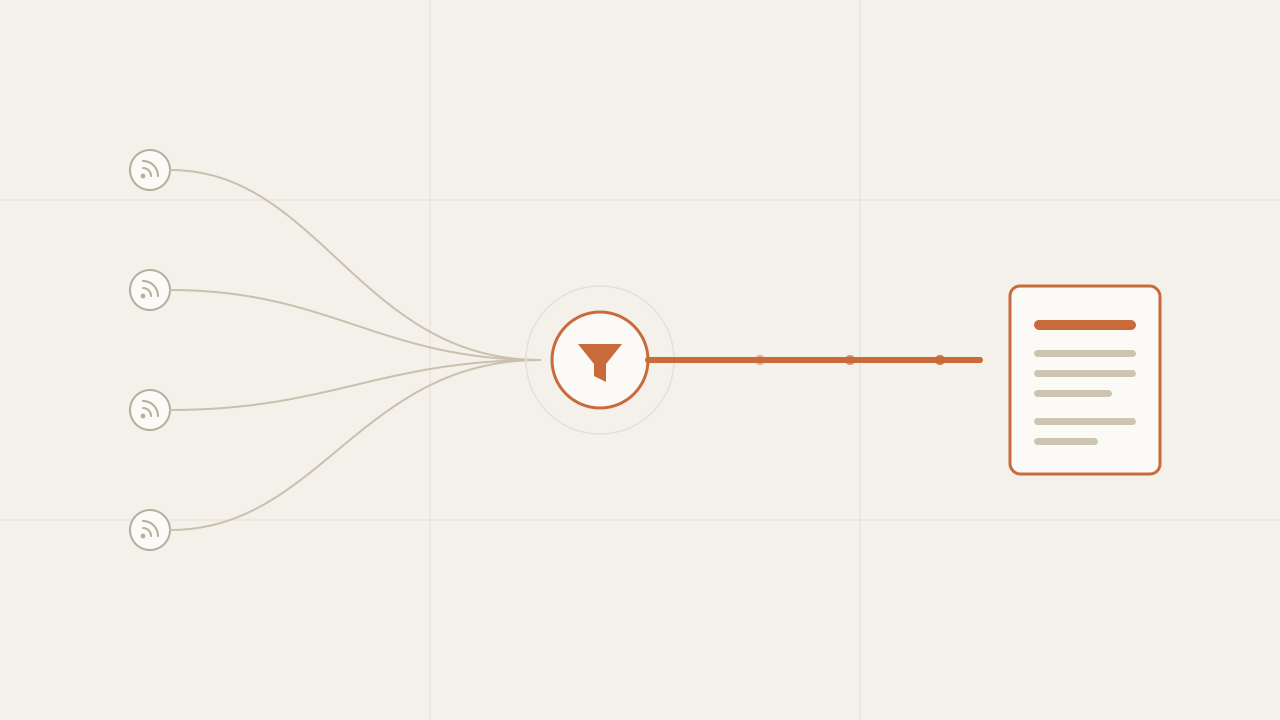
I built an n8n pipeline that watches around twenty RSS feeds, discards what it has already seen, scores each story with a cheap model, rewrites only the ones worth covering with a more capable model, and leaves the result as a WordPress draft—with a cover image and a Telegram alert. The goal wasn’t to “publish on its own”, it was to remove the mechanical work: reading dozens of sources, deciding what deserves coverage, and leaving a first draft ready to review. The whole flow runs every three hours without me touching anything, and what matters isn’t the nodes but the three or four design decisions that keep it from filling up with irrelevant content or blowing up the token spend.
TL;DR
- Deduplicate before spending: hash the link and let Postgres reject repeats with
ON CONFLICT DO NOTHING. That way you don't scrape or rewrite the same story twice. - Use a cheap model to score relevance from 0 to 100 before rewriting: only what clears the threshold reaches the expensive model. Premium spend is the exception, not the rule.
- Leave everything as a draft, not published. The automation proposes; you approve. And alert yourself on Telegram so you review in time.
In this article:
- Fundamentals — What it does and why I automated it · The flow end to end
- Implementation — Deduplicate before spending · Cheap curation before expensive rewriting · Tiered rewriting · Structured output and tolerant parsing
- Operation — From JSON to WordPress · Drafts, not automatic publishing · Limitations · When NOT to automate this way
What the pipeline does and why I automated it
I built it for a friend who runs a news site on WordPress. I won’t say which one—it’s his project, not mine—but the pattern carries over to any outlet with the same problem: the bottleneck wasn’t writing, it was the work that comes before. Opening twenty sources, reading headlines, deciding what’s interesting for the audience, and putting together a first draft eats up more time than polishing the final text. That work is repetitive and has clear rules, so it’s exactly the kind of task worth automating.
The pipeline does exactly that round trip. Every three hours it reads the feeds, keeps what’s new, discards the irrelevant with a cheap filter, rewrites what deserves coverage into an original SEO-optimized article, attaches an image, and leaves it as a draft. The editor only steps in to review what’s already almost ready. It isn’t a spam generator: it’s a writing assistant that does the mechanical part and leaves the editorial decision to a person.
The key is that every step is designed to spend the minimum. Not everything that comes in through a feed deserves a call to an expensive model, or even deserves to be downloaded. The flow is, in essence, a sequence of filters ordered by cost: the cheap ones go first and discard most of it, so the expensive ones only process what makes it to the end.
The flow end to end
Before getting into each piece, this is the complete shape of the pipeline. It reads left to right, and each arrow is an output of an n8n node:
Schedule (every 3h)
   │
   ▼
Feed list ──► Split ──► RSS Read ──► Cap 3 per feed (Code)
                                          │
                                          ▼
                                   Hash the link (SHA256)
                                          │
                                          ▼
                               Postgres: insert + dedup
                                          │
                                       is it new?
                                          │
                               ┌──────────┴───── No ──► discard
                               │ Yes
                               ▼
                          Scrape (Firecrawl)
                               │
                               ▼
                    Cheap LLM: score 0-100
                               │
                          score ≥ 70?
                               │
                    ┌──────────┴───── No ──► discard
                    │ Yes
                    ▼
          Tiered LLM: rewrite
          (Claude if score ≥ 85, otherwise Gemini)
                    │
                    ▼
    Image (Unsplash) ──► WordPress (draft) ──► cover
                    │
                    ▼
    Postgres: mark published ──► Telegram
There are three blocks: get candidates (schedule, feeds, RSS), filter them cheaply (dedup and score), and produce the draft (rewriting, image, WordPress, alert). The order isn’t accidental: each filter is placed to discard as early as possible, while discarding is still free.
Deduplicate before spending: hash + Postgres
The first problem of any RSS pipeline is obvious the moment you turn it on: feeds repeat. The same story shows up across several sources, and the same article stays in the feed for hours or days. If you don’t deduplicate, every run scrapes, scores, and rewrites the same thing again, and that’s pure spend: bandwidth, scraping API calls, and above all tokens.
The defense is to deduplicate before spending anything. I hash the article link with SHA256 and use it as a unique key in a Postgres table (I use Neon, but the provider doesn’t matter). The trick is to let the database do the work of deciding whether something is new, with an INSERT ... ON CONFLICT DO NOTHING:
-- The table that remembers what I've already seen.
CREATE TABLE seen_articles (
  id          BIGSERIAL PRIMARY KEY,
  url_hash    TEXT UNIQUE NOT NULL,   -- SHA256 of the link; the dedup key
  source_url  TEXT NOT NULL,
  title       TEXT,
  published   BOOLEAN DEFAULT FALSE,  -- did it reach a WordPress draft?
  wp_post_id  BIGINT,                 -- post id, to link it back
  created_at  TIMESTAMPTZ DEFAULT now()
);
-- In the Postgres node: try to insert; if the hash already exists, do nothing.
INSERT INTO seen_articles (url_hash, source_url, title)
VALUES ($1, $2, $3)
ON CONFLICT (url_hash) DO NOTHING
RETURNING id, source_url;The detail that makes this work is the RETURNING. When the insert is new, Postgres returns a row with the id; when the hash already existed, the DO NOTHING doesn’t insert and returns no row. So the next node only has to ask one thing: did an id come back? If it did, it’s a new story and continues; if not, it’s a duplicate and gets discarded.
Postgres returns a row (id)  ──►  new story, continue
Postgres returns nothing     ──►  duplicate, discard
I liked this for two reasons. The first is that deduplication is atomic: even if two runs overlap, the unique index guarantees only one wins the insert, with no race conditions. The second is that the “state of what’s been seen” lives in a single queryable place, not scattered across the workflow’s memory. I close that same table at the end by setting published = true and storing the wp_post_id, so I know not only what I saw but what actually reached WordPress.
One note that saves headaches: hash the most stable field you have. The canonical link usually works, but if your feeds tack on tracking parameters (?utm_source=...), normalize it before hashing or the same article with two different UTMs will count as two.
Cheap curation before expensive rewriting
This is the design decision that cuts the cost the most. A story being new doesn’t mean it deserves coverage. Before spending an expensive model on rewriting it, I evaluate it with a cheap model whose only job is to assign a relevance score: “how relevant is this story to the site, on a scale of 0 to 100?”.
The prompt is deliberately minimal and the output deliberately tiny—just a number—so the call is as cheap as possible:
system: You are an editorial curator. Evaluate the relevance of the story
        for a technology and business site. Respond ONLY with JSON:
        {"score": <0-100>}. Nothing else.
user:   Title: {{title}}
        Content: {{markdown}}
With that score, a simple condition decides the outcome: if it reaches the threshold I set (70), the story moves on to rewriting; if not, it’s discarded. Most stories get discarded at this point, which is precisely the goal: the expensive model only processes what clears the filter.
score ≥ 70  ──►  worth it, rewrite
score < 70  ──►  discard (never reaches the expensive model)
It’s exactly the model routing pattern—cheap by default, expensive only where it matters—but applied as an entry filter instead of as a model choice. I dedicated a whole post to the general idea in model routing with OpenRouter and DeepSeek; what’s interesting here is that the cheap model doesn’t solve the task, it only decides whether the task is worth the spend. A relevance classifier is the kind of task where a cheap model performs just as well as an expensive one, so paying for a premium model only to score would be needless spend.
There’s an order worth respecting: the score goes after dedup but before rewriting. Deduplicating is free (a Postgres query), scoring is cheap (a small model with a one-number output), and rewriting is the expensive part. Each filter discards before the next, more expensive one comes into play.
Tiered rewriting: Gemini or Claude based on the score
The stories that pass the filter aren’t all the same. A routine note and an exclusive that’s going to drive a lot of traffic deserve different effort. Since I already have a relevance score, I reuse it to pick the rewriting model: above a certain threshold I use the more capable model; below it, a good but cheaper one.
// The rewriting model is chosen from the same relevance score.
const model = score >= 85
  ? "anthropic/claude-sonnet-4.6"     // top tier: what will perform best
: "google/gemini-3-flash-preview"; // solid and cheaper: the rest| Score range | What it represents | Rewriting model |
|---|---|---|
| 70-84 | Relevant, standard coverage | Gemini Flash (cheap) |
| 85-100 | High interest, worth the extra effort | Claude Sonnet (premium) |
| < 70 | Doesn’t pass the filter | — (discarded) |
This way premium spend concentrates where the return is highest. Most articles get rewritten with the cheap model, and only the high range—the one that will probably attract the most readers—goes to the expensive model. It’s the same criterion applied one level deeper: I’m not just deciding whether it’s worth rewriting, but how much it’s worth spending on each rewrite.
The rewrite isn’t a “summarize this”. The prompt asks for a 100% original article in neutral Spanish, without copying phrases from the original, with a concrete journalistic structure: a first paragraph that answers what/who/when, sections with <h2> subheadings, key figures in <strong>, and a closing with context. And it requires preserving figures, names, and dates exactly, inventing nothing. Rewriting isn’t plagiarizing or hallucinating: it’s producing an original note from the facts of the source.
Structured output and tolerant parsing
So the result drops straight into WordPress, the model doesn’t return loose prose but a JSON with everything a post needs: title, excerpt (the meta description), content_html, a keyword to search for an image, the tags, and the SEO focus keyword.
{
  "title": "...",            // ≤ 60 characters, keyword up front
  "focus_keyword": "...",
  "excerpt": "...",          // 140-155 characters
  "content_html": "<p>...",  // ≥ 400 words, with <h2> and <strong>
  "image_keyword": "...",    // 1-2 words to search for the photo
  "tags": ["...", "..."]
}
The classic problem with asking an LLM for JSON is that sometimes it wraps it in a markdown block or adds a sentence before it (“Here’s the article:”). A direct JSON.parse breaks on that. The cheap defense is tolerant parsing: instead of trusting the response is pure JSON, I cut from the first opening brace to the last closing one and parse only that.
// Trim any text before/after the JSON and parse what's in between.
const raw = $json.choices[0].message.content;
const json = raw.substring(raw.indexOf("{"), raw.lastIndexOf("}") + 1);
const article = JSON.parse(json);
It isn’t elegant, but it’s robust against the most common failure: a model that responds well but dresses it up. After that parse, a filter node checks that the article object actually exists before continuing. If the rewrite went wrong and there’s no valid JSON, the article falls out here instead of reaching WordPress broken. The rule that works for me across the whole pipeline: validate at every boundary, and prefer to discard an item rather than propagate garbage.
From JSON to WordPress: image, draft, and cover
With the article already structured, the last part is mostly integration, but it has a couple of details worth explaining. The order matters because WordPress needs the image uploaded before it can set it as the cover.
- Find the image. With the
image_keywordthe model generated, I search Unsplash for a horizontal photo and keep the first one. I also save the author credit—“Photo by {name} on Unsplash”—because attribution isn’t optional. - Download and upload. I download the image as a binary and upload it to the WordPress media library via its REST API. That returns a
media_id. - Create the draft. I create the post with the title, the
content_html, and theexcerpt, indraftstatus. - Assign the cover. With the
media_idfrom step 2 and theidof the freshly created post, I make a second call that sets thefeatured_media.
Unsplash ──► Download ──► WP: upload media ──► (media_id)
                                                  │
WP: create draft ──► (post_id) ───────────────────┤
                                                  ▼
                        WP: set featured image (featured_media)
That two-step sequence—create the post and then assign the cover—exists because the WordPress API treats the content and the featured image as separate operations. Trying to do it in a single call doesn’t work; splitting it into two solves it.
Drafts, not automatic publishing
The most important decision in the whole pipeline isn’t technical: the post is created in draft status, never published. The automation goes as far as leaving the article ready to review, and stops there. The editor steps in, reads it, adjusts whatever’s needed, and publishes.
This is deliberate and I don’t plan to change it any time soon. A model can rewrite well 95% of the time, but the remaining 5%—a misread figure, an unfortunate headline, a note that didn’t actually fit—is exactly what you don’t want going out to your site on its own. The human in the loop costs a few minutes per article and avoids the risk of publishing something you later have to retract. The rule I wrote into the workflow itself: the status is draft on purpose; change it to published only when you trust the quality of the output.
When it finishes, the workflow marks the article as published = true in Postgres (storing the wp_post_id) and sends a Telegram alert with the titles of what just entered drafts. The alert is the observability piece that keeps the automation from going invisible: if nothing arrives every three hours for a whole day, I know something broke before the site runs out of content.
Neon: mark published ──► Telegram: "New draft: {titles}"Limitations and what I watch
Automating this isn’t free in maintenance. These are the edges I keep in mind:
- Source quality. The pipeline is only as good as its feeds. A noisy or low-quality source feeds in bad candidates that the score has to filter out; it pays to curate the feed list, not just add to it.
- Score drift. I set the threshold of 70 roughly. Set it too low and irrelevant content gets in; too high and notes that were actually worth it get discarded. You have to check now and then what’s being discarded.
- Failing scrapes. Not all sites let you scrape them the same way; some block or return partial content. When the scrape comes out poor, so does the rewrite, and that only shows up on review.
- Generic images. Searching Unsplash by a keyword gives correct photos but sometimes too generic ones. For a serious outlet, the cover sometimes has to be swapped by hand.
- Real originality. The prompt asks not to copy, but the line between “rewriting” and “paraphrasing closely” is thin. I review samples to make sure the result is genuinely an original note.
None of these is a reason not to automate, but they are reasons not to consider it finished once it works. Every feed you add is one more source to maintain and watch.
When NOT to automate this way
This pays off in one specific case: many sources, high volume, and an editorial line with clear rules. I wouldn’t build this pipeline if:
- You publish little. If you put out a couple of notes a week, the work of building and maintaining the flow isn’t justified; better to do it by hand.
- Your value is your own analysis. If what sets you apart is opinion, research, or voice, automatically rewriting other people’s sources isn’t your product and can dilute what makes you unique.
- You can’t review before publishing. Without a human in the loop, sooner or later you publish something incorrect. If you’re not going to review, better not to automate the generation.
- Your sources forbid the use. Rewriting third-party news has legal and ethical implications depending on each source’s license. It’s worth checking before scaling.
Automation pays off when it removes mechanical work without removing your editorial control. If achieving it means giving up the review, you’re probably automating the wrong part.
Frequently asked questions
Why n8n and not a custom script?
I could have written it in code, but n8n gives me the integrations (RSS, Postgres, WordPress, Telegram, HTTP) already solved and a canvas where the flow is visible at a glance. When something fails, I see which node and with what data, without building logging by hand. For a pipeline with many heterogeneous steps, that visibility is worth more than the flexibility of a script.
How much does it cost in tokens?
Little, precisely because of the filter design. Most candidates get discarded at dedup (free) or at the score (a small model with a one-number output). Only a fraction reaches rewriting, and of that fraction only the high range goes to the expensive model. Premium spend stays reserved for the articles that will probably perform best.
Isn’t this an AI spam factory?
It depends on how you use it. If you publish without reviewing and fill the site with rewritten notes with no control, yes. Here the use is different: the relevance filter is strict, the rewrite demands originality and accuracy, and nothing gets published without human review. The automation does the mechanical part; the editorial decision still belongs to a person.
Why leave the post as a draft instead of publishing it directly?
Because the cost of a published mistake is much higher than reviewing for a few minutes. A misread figure or an unfortunate headline on your site damages credibility. The draft delivers 90% of the work done and reserves the final decision for a person, which is where it adds the most.
Does it work for destinations other than WordPress?
Yes. The capture, dedup, and curation part is destination-agnostic. Swapping WordPress for another CMS, a Google Doc, or a Slack channel is replacing the last few nodes. The core—filter cheaply before producing expensively—stays the same.
Conclusion
The biggest mistake when automating content is thinking the challenge is “generating with AI”. The real challenge is not overspending or publishing without control: filtering strictly before producing, and keeping a person reviewing before publishing. This pipeline doesn’t stand out for using language models, but for the order in which it places the filters—free dedup, cheap score, expensive rewrite, human review—so that each expensive step only processes what cleared the previous filters. Start by deduplicating, use a cheap model to score, reserve the expensive one for what performs best, and always keep publishing under a person’s control.

What an agent loop is (and isn't): state, action, stop
What an agent loop is and isn't: its three components—state, action, and stopping condition—and why 'build me an app' is input for a chat, not an agent.

Model routing with OpenRouter and DeepSeek to cut costs without losing quality
How I routed models in production with OpenRouter, using DeepSeek for the bulk of traffic and premium models only where it matters, cutting LLM costs without degrading quality.
